For years, the world of reading has gracefully transitioned from the tactile embrace of paperbacks to the sleek convenience of digital devices. At the forefront of this revolution stands the Amazon Kindle E-reader, a device that has redefined how millions interact with books. If you’re pondering the leap into digital reading or looking to upgrade your current e-reader, understanding the nuances of Kindle models is crucial. This comprehensive guide will explore the evolution, core technology, and diverse range of Kindle devices, helping you pinpoint the ideal e-reader to enrich your reading adventures.
The Evolution of Amazon Kindle E-readers
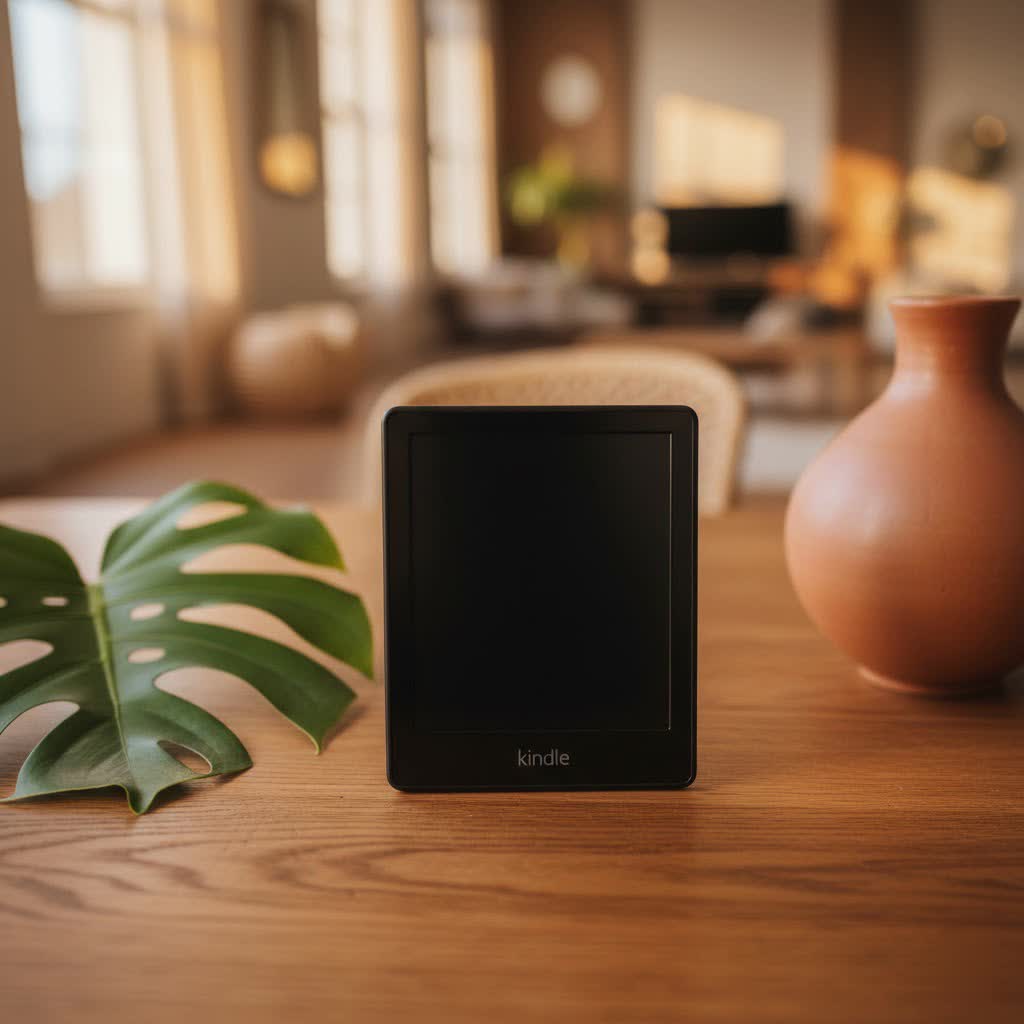
The journey of the Kindle E-reader began in November 2007 with the launch of the first-generation device, aiming to replicate the comfort of reading a physical book while offering unparalleled digital convenience. Since its inception, Kindle has consistently pushed the boundaries of e-reading technology, driven by Amazon’s vision to make every book ever written accessible in minutes. Early models focused on basic functionality and text display, but subsequent generations introduced crucial enhancements.
Over the years, significant technological milestones have transformed the Kindle experience. The introduction of E-Ink Pearl displays brought higher contrast, while subsequent advancements led to integrated front lights, making reading possible in any lighting condition. Touchscreens replaced physical keyboards, streamlining navigation and interaction. Later innovations included waterproof designs, adaptive warm light technology for reduced eye strain, and more recently, the Kindle Scribe’s capability for handwriting and note-taking. These improvements have collectively solidified Kindle’s position as a leader in the e-reader market, influencing how digital content is consumed globally. The ongoing quest for innovation continues, with recent mentions of color E-Ink models like the Kindle Colorsoft hinting at an even more vibrant future for e-reading.
Unpacking the Core Technology of Kindle E-readers
At the heart of every Amazon Kindle E-reader lies its signature E-Ink display, a technology specifically designed to mimic the appearance of ink on paper. This fundamental difference from backlit LCD or OLED screens found in tablets and smartphones is what defines the Kindle reading experience. The primary advantage of E-Ink is its remarkable readability in bright conditions, including direct sunlight, without any glare or reflection. It offers a comfortable, paper-like view that significantly reduces eye strain, allowing for extended reading sessions without discomfort.
The anti-glare technology works by using microcapsules containing positively charged white particles and negatively charged black particles, which are arranged to reflect ambient light rather than emit it. This design ensures that text appears crisp and clear, much like a printed page, making it ideal for outdoor reading. Beyond the display, Kindles boast several special features that enhance usability. Adjustable front lights, often with warmth settings, allow users to customize the screen’s hue from cool white to warm amber, further reducing eye strain in low-light environments. Features like X-Ray provide instant access to character biographies and timelines, while the built-in dictionary and Wikipedia lookup offer immediate definitions and context without leaving your page. Integration with Goodreads allows for social sharing of reading progress, and Audible support on many models enables seamless switching between reading and listening to audiobooks.
Comparing Current Amazon Kindle E-reader Models
Amazon offers a diverse range of Kindle E-readers, each tailored to different reading preferences and budgets. Understanding the unique strengths of each model is key to making an informed decision.
The Kindle (Basic) is the entry-level option, designed for readers who seek a straightforward and affordable digital reading experience. It’s compact, lightweight, and offers a crisp 300 ppi E-Ink display, making it excellent for on-the-go reading. While it includes a front light, it lacks the adjustable warm light and waterproofing found in more premium models. It’s a perfect starting point for casual readers or those new to e-readers.
Moving up, the Kindle Paperwhite strikes a balance between features and price, making it the most popular choice for many avid readers. It boasts a larger, flush-front 6.8-inch, 300 ppi display with an adjustable warm light, allowing for comfortable reading day or night. Crucially, it’s waterproof, providing peace of mind for poolside or bathtub reading. The Paperwhite Signature Edition further enhances this with more storage, wireless charging, and an auto-adjusting front light.
For those who prioritize a premium reading experience and ergonomic design, the Kindle Oasis stands out. Featuring a 7-inch, 300 ppi display, it offers an asymmetrical design with physical page-turn buttons and an auto-rotating screen, making one-handed reading exceptionally comfortable. Its aluminum back and flush glass screen contribute to a high-end feel, and it includes an adaptive warm light. However, it’s important to note that the Oasis has not been updated in some time and still uses a micro-USB port, which can be a drawback for modern users.
Finally, the Kindle Scribe is Amazon’s innovative foray into a larger e-reader with note-taking capabilities. With a generous 10.2-inch, 300 ppi display and an included stylus, it allows users to write directly on the screen, annotate books with sticky notes, and create digital notebooks. While it offers a unique blend of reading and productivity, it is not waterproof and comes at the highest price point, appealing to students, professionals, and avid readers who want to integrate handwritten notes into their digital library.
Detailed Comparison Table: Kindle Models at a Glance
| Feature | Kindle (Basic) | Kindle Paperwhite | Kindle Oasis | Kindle Scribe |
|---|---|---|---|---|
| Screen Size | 6 inch | 6.8 inch | 7 inch | 10.2 inch |
| PPI | 300 ppi | 300 ppi | 300 ppi | 300 ppi |
| Waterproof | No | Yes (IPX8) | Yes (IPX8) | No |
| Frontlight | Yes (4 LEDs) | Yes (17 LEDs, Warm Light) | Yes (25 LEDs, Warm Light, Adaptive) | Yes (35 LEDs, Warm Light, Adaptive) |
| Storage | 16GB | 8GB/16GB/32GB | 8GB/32GB | 16GB/32GB/64GB |
| USB Port | USB-C | USB-C | Micro-USB | USB-C |
| Page-turn Buttons | No | No | Yes | No |
| Stylus Support | No | No | No | Yes (included) |
| Wireless Charging | No | No (Paperwhite Signature Edition only) | No | No |
| Price | Most Affordable | Mid-range | Premium | Highest |
How to Choose Your Ideal Kindle E-reader
Selecting the right Kindle E-reader requires a careful assessment of your personal reading habits, lifestyle, and priorities. Start by asking yourself: What kind of reader are you?
If you’re a casual reader who primarily enjoys novels and wants a simple, portable device without breaking the bank, the Kindle (Basic) is an excellent choice. Its compact size makes it highly portable, easily fitting into a small bag or even a large pocket. For avid readers who spend hours immersed in books, especially in varied environments, the Kindle Paperwhite offers a superior experience with its adjustable warm light and waterproofing, allowing for comfortable reading at the beach, by the pool, or in bed.
If you value premium design, physical page-turn buttons, and an ergonomic grip for extensive reading, the Kindle Oasis might appeal to you, although its higher price and older charging port are considerations. For students, professionals, or anyone who enjoys annotating texts, sketching ideas, or taking handwritten notes alongside their reading, the Kindle Scribe provides a unique and powerful blend of an e-reader and digital notebook. Before making a final decision, always read current reviews and compare prices from multiple reputable sources to ensure you get the best deal.
Where to Purchase Your Amazon Kindle E-reader
When you’re ready to invest in a Kindle E-reader, several trusted retailers offer a seamless purchasing experience. The most direct and often most reliable source is Amazon.com, the official home of Kindle devices. Buying directly from Amazon typically ensures access to the latest models, comprehensive warranty support, and their renowned customer service. You can also explore bundle deals that include covers, chargers, or extended warranties.
Beyond Amazon, major online electronics retailers and physical brick-and-mortar stores often stock a selection of Kindle E-readers. Always check the retailer’s policies regarding warranties, returns, and exchanges before making a purchase. It’s also wise to compare prices across different vendors, especially during sales events, to find the most competitive offer. Some retailers might offer incentives or financing options that could make a higher-end model more accessible.
Tips for Maximizing Your Kindle E-reader Experience
Getting the most out of your Amazon Kindle E-reader involves a few simple practices that enhance longevity and usability. Proper battery care is essential; regularly charging your device before it fully depletes and avoiding extreme temperatures can extend its battery life over time. For screen maintenance, use a soft, lint-free cloth, ideally microfiber, to gently wipe away fingerprints and smudges; avoid harsh chemicals that could damage the E-Ink display.
Regularly updating your Kindle’s software is crucial for accessing new features, performance improvements, and security patches. Your Kindle will usually prompt you for updates when connected to Wi-Fi, or you can manually check through the settings menu. Investing in a quality protective case or cover is also highly recommended, especially for models that are not waterproof, to shield your device from accidental drops, scratches, and spills. Furthermore, utilize the “Send-to-Kindle” service to effortlessly transfer personal documents, articles, and PDFs from your computer or smartphone directly to your Kindle, expanding your digital library beyond Amazon’s store.
Troubleshooting Common Kindle Issues
Even the most reliable technology can encounter occasional hiccups. Knowing how to troubleshoot common Kindle issues can save you time and frustration. If your Kindle becomes unresponsive or “freezes,” a simple restart often resolves the problem. This can usually be done by holding down the power button for 40 seconds until the device reboots.
“The biggest advantage of the Kindle is the battery duration which can make the device work for weeks up to a month, while you can do this in a phone, tablet or laptop and you can read easily in the sunlight.” – Karla Silva, E-reading Enthusiast
Screen glitches, such as partial ghosting or unresponsive touch, can sometimes be cleared by cycling through a few pages or performing a soft reset. If your battery seems to be draining faster than usual, ensure that Wi-Fi is turned off when not in use, reduce screen brightness, and check for any stuck processes by restarting the device. Poor Wi-Fi connectivity might stem from router issues, so try restarting your router, or ensure your Kindle’s software is up to date, as updates can include network performance improvements. For persistent issues, Amazon’s customer support and online forums are valuable resources.
In-depth Reviews: Latest Kindle E-reader Models
Among the current lineup, the Kindle Paperwhite (11th Generation) continues to be a standout. It offers an exceptional balance of features, including a larger, glare-free display, adjustable warm light, and IPX8 waterproofing, making it incredibly versatile for various reading environments. Its impressive battery life further enhances its appeal, solidifying its position as the top recommendation for most readers.
The Kindle Oasis (3rd Generation), while older, remains a favorite for its ergonomic design and physical page-turn buttons, offering a truly premium feel. Its adaptive light sensor and thin aluminum body provide a comfortable reading experience for extended periods. However, its micro-USB port and higher price point compared to the feature-rich Paperwhite make it a niche choice for those who highly prioritize its specific design benefits.
Finally, the Kindle Scribe revolutionizes the e-reader market by integrating a robust note-taking experience with its expansive 10.2-inch display. It is ideal for those who need to highlight, annotate, or simply brainstorm on a digital canvas that feels like paper. While it sacrifices waterproofing, its functionality for academic work, personal journaling, and document review is unmatched within the Kindle family.
Kindle E-readers vs. Other Digital Reading Devices
While tablets and smartphones offer digital reading capabilities, Kindle E-readers stand apart due to their specialized E-Ink technology. Devices like Kobo and Nook also utilize E-Ink, offering similar benefits in terms of eye comfort and glare reduction. However, Kindle’s deep integration with the Amazon ecosystem – including the vast Kindle Store, Goodreads, and Audible – provides a comprehensive and user-friendly experience that often surpasses competitors.
“Kindle’s e-ink display ensures text appears crisp and clear, significantly reducing eye strain, especially under bright sunlight.” – Expert Reviews
Tablets and phones, with their vibrant color screens, are multipurpose devices suitable for browsing, gaming, and video. But for dedicated reading, their backlit displays can cause significant eye strain, especially during prolonged use or in direct sunlight. Kindles excel where other devices falter, offering weeks of battery life and a reading experience that closely mimics traditional paper, making them the superior choice for focused, comfortable reading without distractions.
Conclusion: Your Definitive Kindle E-reader Recommendation
Choosing the right Amazon Kindle E-reader boils down to aligning its features with your personal reading lifestyle. Whether you’re a casual reader seeking affordability and portability with the Kindle (Basic), an avid bookworm desiring the perfect blend of features and value from the Kindle Paperwhite, or a discerning user who prioritizes ergonomic design with the Kindle Oasis, there’s a Kindle for you. For those who demand more than just reading, integrating note-taking and document annotation, the Kindle Scribe offers an unparalleled experience.
The Kindles’ unparalleled E-Ink displays, extensive battery life, and vast ecosystem truly set them apart, ensuring a comfortable, immersive, and distraction-free reading experience that tablets and phones simply cannot match. Ready to embark on your next literary adventure? Discover the Amazon Kindle E-reader that will transform your reading habits and open up a world of stories at your fingertips. Which Kindle will illuminate your reading journey?
Frequently Asked Questions
Is a Kindle E-reader worth the investment compared to reading on a phone or tablet?
|
Our Picks for the Best Kindle Ereader in 2026
As an Amazon Associate I earn from qualifying purchases.
|
||
| Num | Product | Action |
|---|---|---|
| 1 | Amazon Kindle Paperwhite 16GB (newest model) – 20% faster, with new 7" glare-free display and weeks of battery life – Jade + 3 Months of Kindle Unlimited (with auto-renewal) |

|
| 2 | Amazon Kindle Paperwhite 16GB (newest model) – 20% faster, with new 7" glare-free display and weeks of battery life – Raspberry + 3 Months of Kindle Unlimited (with auto-renewal) |
|
| 3 | Amazon Kindle Paperwhite Signature Edition 32GB (newest model) – 20% faster with auto-adjusting front light, wireless charging, and weeks of battery life – Metallic Jade |
|
| 4 | Amazon Kindle Paperwhite 16GB (newest model) – 20% faster, with new 7" glare-free display and weeks of battery life – Black |
|
| 5 | Amazon Kindle 16 GB (newest model) - Lightest and most compact Kindle, now with faster page turns, and higher contrast ratio, for an enhanced reading experience - Matcha + 3 Months of Kindle Unlimited (with auto-renewal) |
|
| 6 | Amazon Kindle Paperwhite 16GB (newest model) – 20% faster, with new 7" glare-free display and weeks of battery life – Black + 3 Months of Kindle Unlimited (with auto-renewal) |
|
| 7 | Amazon Kindle 16 GB (newest model) - Lightest and most compact Kindle, now with faster page turns, and higher contrast ratio, for an enhanced reading experience - Black |
|
| 8 | Amazon Kindle 16 GB (newest model) - Lightest and most compact Kindle, now with faster page turns, and higher contrast ratio, for an enhanced reading experience - Black + 3 Months of Kindle Unlimited (with auto-renewal) |
|
| 9 | Amazon Kindle Colorsoft 16 GB (newest model) – With paper-like color display that brings stories to life – No Ads – Black |
|
| 10 | Amazon Kindle 16 GB (newest model) - Lightest and most compact Kindle, now with faster page turns, and higher contrast ratio, for an enhanced reading experience - Matcha |
|
Absolutely. A Kindle E-reader is specifically designed for reading, featuring an E-Ink display that reduces eye strain and eliminates glare, even in direct sunlight. It also offers weeks of battery life, unlike phones or tablets, providing a dedicated, distraction-free reading experience that is far superior for book lovers.
Can I read books not purchased from Amazon on my Kindle?
Yes, you can. While Kindles are deeply integrated with the Amazon ecosystem, you can transfer various document formats, including PDFs and EPUBs (via Send-to-Kindle service), to your device. Many public libraries also offer e-books through services like Libby, which can often be sent directly to your Kindle.
Which Kindle model is best for reading comics or graphic novels?
For reading comics or graphic novels, the Kindle Scribe is the best option due to its significantly larger 10.2-inch display. While Kindles don’t display in color (except for potentially future “Colorsoft” models), the larger screen size provides a much better viewing experience for detailed images and text in comic panels compared to smaller Kindle models.
How does the Kindle’s “warm light” feature benefit readers?
The warm light feature, available on Kindle Paperwhite, Oasis, and Scribe, allows you to adjust the screen’s color tone from a cool white to a warm amber. This reduces blue light emission, which is known to interfere with sleep patterns, making it much more comfortable for reading in the evening and before bed.
Is waterproofing a crucial feature for a Kindle E-reader?
Waterproofing (IPX8 rated) is a valuable feature for many readers, especially if you enjoy reading in the bathtub, by the pool, or at the beach. Models like the Kindle Paperwhite and Oasis offer this protection, providing peace of mind against accidental spills or submersion. If you primarily read indoors and are careful, it might not be a critical feature for you.
What is the primary difference between the Kindle Paperwhite and Kindle Oasis?
The primary differences lie in design and certain premium features. The Kindle Oasis offers an ergonomic asymmetrical design with physical page-turn buttons and an aluminum body, providing a high-end feel and comfortable one-handed grip. The Kindle Paperwhite has a more traditional slab design, is generally more affordable, and features a USB-C port, which the Oasis lacks.
Can I listen to audiobooks on my Amazon Kindle E-reader?
Yes, most modern Kindle E-readers, including the Basic, Paperwhite, Oasis, and Scribe, support Audible audiobooks. You can connect Bluetooth headphones or speakers to your Kindle and seamlessly switch between reading and listening to your favorite titles, offering a versatile media consumption experience.
