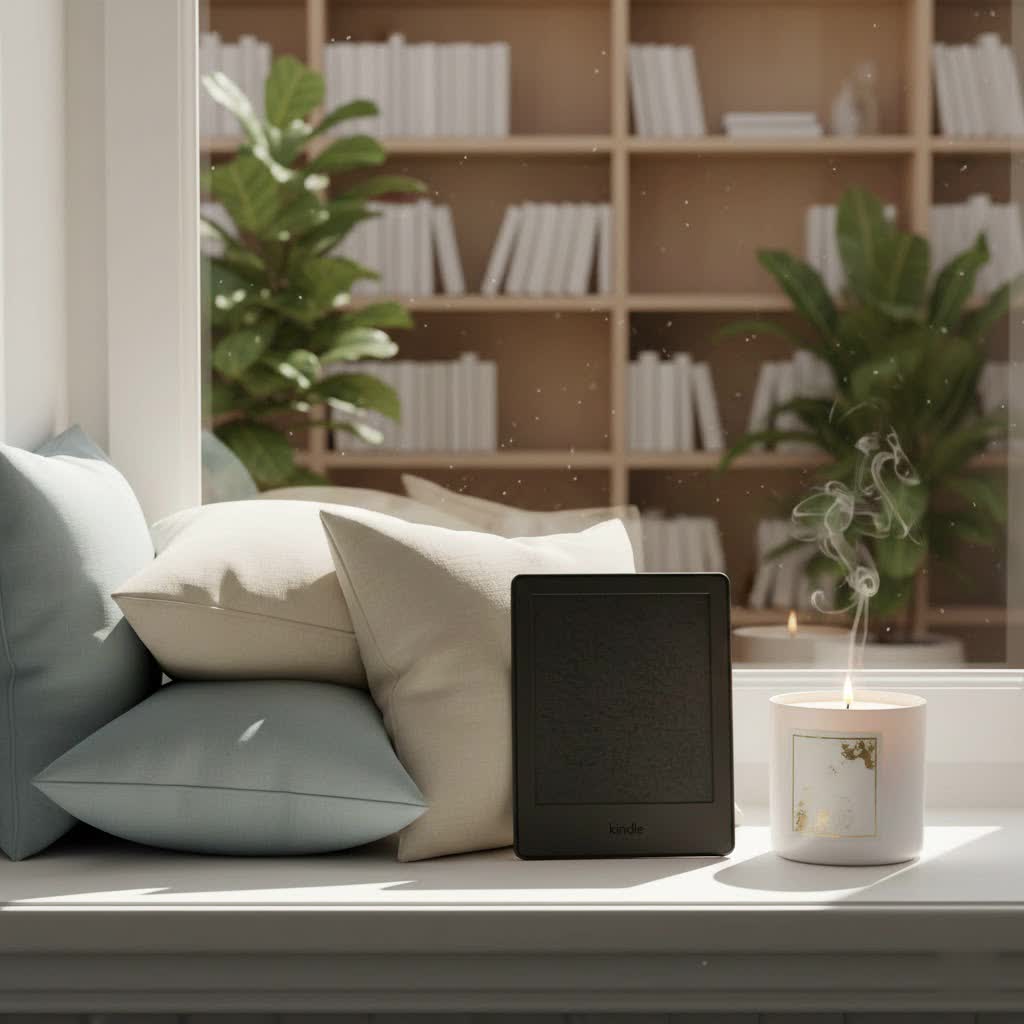
For over a decade, Amazon’s Kindle ereaders have transformed the way we read, offering a dedicated digital library experience that closely mimics paper books. Whether you’re a casual reader or a voracious bookworm, navigating the diverse range of Kindle models to find your perfect match can feel overwhelming. This comprehensive guide will illuminate the world of Amazon Kindle ereaders, from their groundbreaking technology to detailed comparisons of current models, helping you make an informed decision for your literary adventures.
The Evolution of the Kindle Ereader
The journey of the Kindle ereader began in 2007 when Amazon launched its first model, a device born from CEO Jeff Bezos’s ambition to create the world’s best electronic reader. Priced at $399, the original Kindle, developed by Amazon’s Lab126, quickly sold out, proving a significant demand for dedicated reading devices. The name “Kindle,” meaning “to light a fire,” aptly symbolized the intellectual excitement it aimed to spark in readers.
From its inception, the Kindle distinguished itself through its integration with Amazon’s vast digital bookstore, offering an unparalleled selection of ebooks directly to the device via wireless connectivity. Early innovations included physical keyboards, larger screens with the Kindle DX, and wireless 3G connectivity, expanding the accessibility of digital reading. A major leap came with the Kindle Touch, introducing touchscreen functionality, followed by the game-changing Kindle Paperwhite, the first to feature a built-in front light for comfortable reading in any environment. Later, the Kindle Oasis brought an ergonomic design and physical page-turn buttons, while the more recent Kindle Scribe introduced a large screen with stylus support for note-taking and journaling. The latest developments, including the Kindle Colorsoft, mark Amazon’s entry into color E Ink technology, continually pushing the boundaries of the ereading experience.
The Unique Technology of Kindle Ereaders
At the heart of every Kindle ereader lies E Ink technology, a revolutionary display system designed to replicate the look and feel of printed paper. Unlike traditional LCD or LED screens found in tablets and smartphones, E Ink displays are reflective, meaning they don’t emit light directly into your eyes. This significantly reduces eye strain, allowing for extended reading sessions without discomfort.
The magic of E Ink comes from millions of tiny microcapsules, each filled with positively charged white particles and negatively charged black particles suspended in a clear fluid. When an electric field is applied, these particles move to the surface, creating crisp, high-contrast text and images in up to 16 shades of gray. A key advantage of this “bistable” technology is its exceptional energy efficiency; power is only consumed when the display changes, such as when you turn a page. This allows Kindles to boast battery lives measured in weeks, not hours.
For reading in dim light or darkness, modern Kindles incorporate adjustable front lighting. Instead of backlighting, which shines light from behind the screen towards your eyes, front lighting directs light evenly across the display. This innovation, pioneered by the Kindle Paperwhite, ensures readability in various ambient conditions while maintaining the eye-friendly characteristics of E Ink. Advanced features like adjustable warm light and auto-adjusting brightness further enhance comfort, allowing users to customize their reading experience.
Comparing Current Kindle Ereader Models
Amazon offers a diverse lineup of Kindle ereaders, each designed to cater to different reading preferences and budgets. Understanding their key differences is crucial for selecting the best device for you.
- Kindle (Basic) (11th Gen, 2024): This is the entry-level model, perfect for readers seeking core functionality without frills. It features a 6-inch, 300 ppi glare-free display, a built-in adjustable front light, and 16GB of storage. It’s the most lightweight and compact option, ideal for portability and casual reading.
- Kindle Paperwhite (11th Gen, 2024): Often considered the sweet spot for most users, the Paperwhite elevates the reading experience. It boasts a larger 7-inch, 300 ppi flush-front display, IPX8 waterproofing (making it safe for the bath or beach), adjustable warm light, and significantly longer battery life (up to 12 weeks). It’s available with 8GB or 16GB storage.
- Kindle Paperwhite Signature Edition (2024): This premium version of the Paperwhite includes all the features of the standard Paperwhite, plus 32GB of storage, an auto-adjusting front light, and wireless charging capabilities. It offers an even more refined and convenient reading experience.
- Kindle Oasis (10th Gen, 2019): While an older model and no longer actively promoted as Amazon’s flagship, the Oasis is still a beloved option for its ergonomic, asymmetric design and physical page-turn buttons. It features a 7-inch, 300 ppi display, adjustable warm light, and waterproofing. Its unique design is often preferred by those who value single-handed reading comfort.
- Kindle Scribe (2022/2024): The Scribe is Amazon’s largest ereader, featuring a 10.2-inch, 300 ppi display with stylus support. It’s designed for both reading and writing, allowing users to annotate books, journal, and create notebooks. With various storage options (16GB, 32GB, 64GB), it’s ideal for students, professionals, or anyone who frequently takes notes.
- Kindle Colorsoft Signature Edition (2024/2025): Amazon’s first color E Ink ereader, the Colorsoft features a 7-inch display with 300 ppi for black-and-white text and 150 ppi for color. It brings comics, graphic novels, and illustrated books to life with color E Ink Kaleido 3 technology. This model targets users who desire a color reading experience on an E Ink screen.
Detailed Comparison of Current Kindle Models
| Feature | Kindle (Basic, 2024) | Kindle Paperwhite (2024) | Kindle Paperwhite Signature Edition (2024) | Kindle Scribe (2024) | Kindle Colorsoft Signature Edition (2024/2025) |
|---|---|---|---|---|---|
| Screen Size | 6 inch | 7 inch | 7 inch | 10.2 inch | 7 inch |
| Pixel Density | 300 ppi | 300 ppi | 300 ppi | 300 ppi | 300 ppi (B&W), 150 ppi (Color) |
| Waterproofing | No | Yes (IPX8) | Yes (IPX8) | No | Yes (IPX8) |
| Front Light LEDs | 4 LEDs | 17 LEDs | 17 LEDs | 35 LEDs | Not specified, but includes adjustable warm light |
| Adjustable Warm Light | Yes | Yes | Yes | Yes | Yes |
| Auto-Adjusting Brightness | No | No | Yes | Yes | Yes |
| Storage | 16GB | 8GB/16GB | 32GB | 16GB/32GB/64GB | 32GB |
| Stylus Support | No | No | No | Yes (with Basic or Premium Pen) | No |
| Wireless Charging | No | No | Yes | No | Yes |
| Price (Approx. Starting) | $110 – $120 | $160 – $170 | $200 – $210 | $340 – $400 | $280 – $300 |
Guide to Choosing the Right Kindle Ereader
Selecting the ideal Kindle ereader involves matching your reading habits and preferences with the features each model offers.
-
Determine Your Reading Needs:
- Casual Reading: If you primarily read novels and occasionally articles, the Kindle (Basic) offers excellent value and portability.
- Frequent Reading with Enhanced Comfort: For avid readers who appreciate a larger screen, waterproofing, and adjustable warm light, the Kindle Paperwhite is the top recommendation.
- Premium Reading Experience: If wireless charging, auto-adjusting light, and ample storage are important, the Kindle Paperwhite Signature Edition delivers.
- Note-Taking & Documents: For students, professionals, or anyone who enjoys annotating texts, sketching, or journaling, the Kindle Scribe is tailored for you.
- Color Content: If you read graphic novels, magazines, or illustrated children’s books and want them in color on an E Ink display, the Kindle Colorsoft Signature Edition is your choice.
-
Set Your Budget: Kindle prices range from around $110 for the basic model to $400 for the Scribe. Determine how much you’re willing to invest based on the features you prioritize.
-
Consider Key Features:
- Screen Size: 6-inch (Basic) for maximum portability, 7-inch (Paperwhite/Oasis/Colorsoft) for a good balance, or 10.2-inch (Scribe) for large documents and note-taking.
- Waterproofing: Essential if you read by the pool, at the beach, or in the bath (Paperwhite, Paperwhite Signature Edition, Colorsoft).
- Front Light: All modern Kindles have a front light, but adjustable warm light and auto-adjusting brightness are premium features.
- Storage: 16GB is sufficient for thousands of ebooks. If you store many audiobooks or use the Scribe extensively, 32GB or 64GB might be preferable.
- Stylus Support: Exclusive to the Kindle Scribe for writing and drawing.
- Physical Buttons: The older Kindle Oasis is the only one with physical page-turn buttons, a feature many readers still prefer.
-
Read Reviews and Compare Prices: Always consult recent reviews and compare prices across different retailers, especially during sales events, to ensure you’re getting the best deal for your chosen model.
Where to Buy Kindle Ereaders Reliably
Purchasing your Kindle ereader from reputable sources ensures authenticity, warranty coverage, and reliable customer service.
- Amazon.com: As the manufacturer, Amazon’s official website is the primary and most reliable source for all Kindle models, accessories, and the vast Kindle Store. They often have the latest releases and competitive pricing.
- Major Electronics Retailers: Retailers like Best Buy, Target, and Walmart (in the US) or similar large electronics chains globally often carry a selection of Kindle devices. These stores can be convenient for in-person viewing and immediate purchase.
- Online Marketplaces (Tiki, Shopee in specific regions): While these platforms can offer competitive pricing, always verify the seller’s reputation and ensure the product is new and covered by Amazon’s warranty.
- Check Warranty and Return Policies: Regardless of where you buy, confirm the seller’s return policy and understand Amazon’s warranty for Kindle devices, typically one year.
Tips for Using and Maintaining Your Kindle Ereader
To ensure your Kindle ereader provides years of enjoyable reading, follow these simple usage and maintenance tips:
- Charge Correctly: Use the original USB-C cable and a compatible power adapter. While Kindles boast long battery lives, avoiding deep discharges and overcharging can help prolong battery health.
- Clean the Screen Gently: Use a soft, lint-free cloth, slightly dampened if necessary, to wipe the E Ink screen. Avoid abrasive materials or harsh chemicals that can damage the display.
- Keep Software Updated: Regularly connect your Kindle to Wi-Fi to receive automatic software updates. These updates often bring performance improvements, new features, and bug fixes.
- Use a Protective Cover: A good quality case or cover can protect your Kindle from scratches, drops, and general wear and tear, especially if you carry it frequently.
- Manage Your Library: Organize your ebooks into collections for easy navigation. Use Amazon’s “Send to Kindle” service to easily transfer documents and personal files to your device.
Common Issues and How to Resolve Them
Even with their reliability, Kindles can occasionally encounter minor issues. Here are some common problems and straightforward solutions:
- Kindle Frozen or Unresponsive: A simple restart often resolves this. Hold the power button for 40 seconds until the device reboots.
- Screen Anomalies: If you see faint lines or ghosting, try a full page refresh (if your model has this setting) or reboot the device. Persistent issues might indicate a hardware problem, especially with older E Ink screens.
- Fast Battery Drain: Ensure Wi-Fi is turned off when not in use, avoid leaving the front light at maximum brightness constantly, and check for any stuck processes by restarting the device. If the issue persists, the battery might be degrading.
- Poor Wi-Fi Connectivity: Try restarting your Kindle and your Wi-Fi router. Ensure your Kindle’s software is up to date and that you are within range of a strong signal.
Detailed Reviews of Latest Kindle Ereader Models
The latest generation of Kindle ereaders continues to refine the digital reading experience.
The Kindle Paperwhite (11th Gen, 2024) stands out as the best choice for most readers. Its 7-inch, 300 ppi E Ink Carta 1300 screen offers incredibly sharp text and excellent contrast, making it a joy to read. The adjustable warm light is a fantastic feature for comfortable reading at any time of day, and its IPX8 waterproofing provides peace of mind. Page turns are notably fast, and the battery life is impressive, often lasting up to 10-12 weeks on a single charge. While its design might appear modest for its price point, its lightweight feel and stellar performance make it a superior choice for dedicated readers.
For those requiring more than just reading, the Kindle Scribe (2024) offers a unique proposition. Its expansive 10.2-inch, 300 ppi display is excellent for reading large PDFs, textbooks, and graphic novels. The updated screen texture and improved stylus provide a more natural writing experience, turning the Scribe into a capable digital notebook. Users can annotate books, create custom notebooks, and seamlessly convert handwritten notes to text. Its larger size means less portability than other Kindles, but for focused reading and writing, it excels.
The Kindle Colorsoft Signature Edition (2024/2025) represents Amazon’s foray into color E Ink. While it brings vibrancy to comics and illustrated content, early models have faced reports of screen imperfections, such as yellow banding at the bottom of the display. Its color fidelity is an improvement over previous color E Ink technologies, but it’s still an evolving technology. If color is a must-have, it’s worth considering, but potential users should be aware of its current limitations and price point.
Comparing Kindle Ereaders with Other Digital Reading Devices
While Amazon Kindle ereaders dominate the market, competitors like Kobo, Nook, and Onyx Boox offer alternatives with distinct features.
- Kindle vs. Kobo: Kobo ereaders, such as the Kobo Clara BW and Kobo Libra Colour, are strong contenders. Kobo devices are generally praised for their more open ecosystem, allowing easier sideloading of EPUB files from various sources beyond their store. Many Kobo models also retain physical page-turn buttons, a feature beloved by some users for ergonomic one-handed reading. Kobo has also been quicker to adopt the latest E Ink screen technologies and prioritize repairability. However, Amazon’s Kindle Store typically offers a larger selection of ebooks and a more integrated experience, especially for Audible audiobooks.
- Kindle vs. Nook: Barnes & Noble’s Nook ereaders, like the GlowLight 4 and GlowLight 4 Plus, are often seen as direct competitors. Nook devices consistently include physical page-turn buttons across their lineup, which can be a decisive factor for some. While Nook ereaders can be slightly cheaper for ad-free models, their ecosystem is less expansive than Amazon’s, and device refreshes are less frequent.
- Kindle vs. Onyx Boox: Onyx Boox devices differentiate themselves by running on Android, offering tablet-like versatility with access to Google Play apps. This means you can install various reading apps, browsers, and even productivity tools. However, this increased functionality comes at a higher price point, and their E Ink screens, while advanced, may not offer the same seamless, dedicated reading focus as a Kindle.
Conclusion: Which Amazon Kindle Ereader Should You Buy?
Choosing the ideal Amazon Kindle ereader ultimately comes down to your personal reading habits, budget, and desired features. Each model offers a compelling pathway into the vast world of digital reading.
For the budget-conscious reader seeking simplicity and portability, the Kindle (Basic) is an excellent, no-frills choice, delivering crisp text and a comfortable reading light. If you’re a frequent reader who values a larger, waterproof screen with adjustable warm light and a long-lasting battery, the Kindle Paperwhite is the undisputed champion and the best fit for most people. For those who demand a premium reading experience with all the bells and whistles—more storage, wireless charging, and auto-adjusting brightness—the Kindle Paperwhite Signature Edition is a worthwhile upgrade. If your reading involves extensive note-taking, journaling, or working with large documents, the Kindle Scribe offers an unparalleled combination of reading and writing capabilities. Finally, for those who crave color in their digital books, the Kindle Colorsoft Signature Edition opens up a new visual dimension, though it’s still a relatively new technology.
Amazon’s commitment to E Ink technology ensures an eye-friendly, distraction-free reading experience across its lineup, unlike backlit tablets. By considering your priorities, you can confidently select a Kindle ereader that will become your cherished companion for countless hours of immersive reading. What story will your new Kindle help you discover next?
Frequently Asked Questions
Which Kindle has the best battery life?
|
Our Picks for the Best Kindle Ereader in 2026
As an Amazon Associate I earn from qualifying purchases.
|
||
| Num | Product | Action |
|---|---|---|
| 1 | Amazon Kindle Paperwhite 16GB (newest model) – 20% faster, with new 7" glare-free display and weeks of battery life – Black |

|
| 2 | Amazon Kindle 16 GB (newest model) - Lightest and most compact Kindle, now with faster page turns, and higher contrast ratio, for an enhanced reading experience - Matcha |
|
| 3 | Amazon Kindle 16 GB (newest model) - Lightest and most compact Kindle, now with faster page turns, and higher contrast ratio, for an enhanced reading experience - Black + 3 Months of Kindle Unlimited (with auto-renewal) |
|
| 4 | Amazon Kindle Paperwhite Signature Edition 32GB (newest model) – 20% faster with auto-adjusting front light, wireless charging, and weeks of battery life – Metallic Jade |
|
| 5 | Amazon Kindle Paperwhite 16GB (newest model) – 20% faster, with new 7" glare-free display and weeks of battery life – Raspberry + 3 Months of Kindle Unlimited (with auto-renewal) |
|
| 6 | Amazon Kindle Paperwhite 16GB (newest model) – 20% faster, with new 7" glare-free display and weeks of battery life – Jade + 3 Months of Kindle Unlimited (with auto-renewal) |
|
| 7 | Amazon Kindle Paperwhite 16GB (newest model) – 20% faster, with new 7" glare-free display and weeks of battery life – Black + 3 Months of Kindle Unlimited (with auto-renewal) |
|
| 8 | Amazon Kindle Colorsoft 16 GB (newest model) – With paper-like color display that brings stories to life – No Ads – Black |
|
| 9 | Amazon Kindle 16 GB (newest model) - Lightest and most compact Kindle, now with faster page turns, and higher contrast ratio, for an enhanced reading experience - Black |
|
| 10 | Amazon Kindle 16 GB (newest model) - Lightest and most compact Kindle, now with faster page turns, and higher contrast ratio, for an enhanced reading experience - Matcha + 3 Months of Kindle Unlimited (with auto-renewal) |
|
The Kindle Paperwhite and Paperwhite Signature Edition typically offer the best battery life, lasting up to 10-12 weeks on a single charge, depending on usage, light settings, and Wi-Fi connectivity.
Is the Kindle Paperwhite worth the extra cost over the basic Kindle?
Yes, for most avid readers, the Kindle Paperwhite is worth the extra cost due to its larger, flush-front display, higher number of front light LEDs with adjustable warm light, and crucial IPX8 waterproofing.
Can I read library books on my Kindle?
Yes, in many regions, you can borrow ebooks from your local library and send them to your Kindle ereader using services like Libby/Overdrive, integrating seamlessly with your Amazon account.
What is the main difference between Kindle and other ereaders like Kobo?
The main difference lies in their ecosystems and file support. Kindles are tightly integrated with Amazon’s vast Kindle Store. Kobo devices often offer more open file format support (EPUB) and can be more flexible for sourcing books from various places.
Does the Kindle Scribe replace a traditional tablet for note-taking?
The Kindle Scribe offers a unique, paper-like writing experience ideal for focused note-taking, journaling, and annotating documents. While it excels in these specific tasks, it does not offer the full app functionality or color display of a traditional tablet.
