In a world brimming with digital distractions, finding a sanctuary for focused reading is a true luxury. For book lovers everywhere, the Kindle Paperwhite ereader offers just that—a dedicated escape into stories without the glare and interruptions of traditional screens. With its paper-like display and thoughtful design, the Kindle Paperwhite has redefined the digital reading experience, making it easier and more enjoyable than ever to carry an entire library in your hand. This comprehensive guide will navigate you through everything you need to know about the Kindle Paperwhite, helping you choose the model that perfectly fits your literary adventures.
The Evolution of the Kindle Ereader
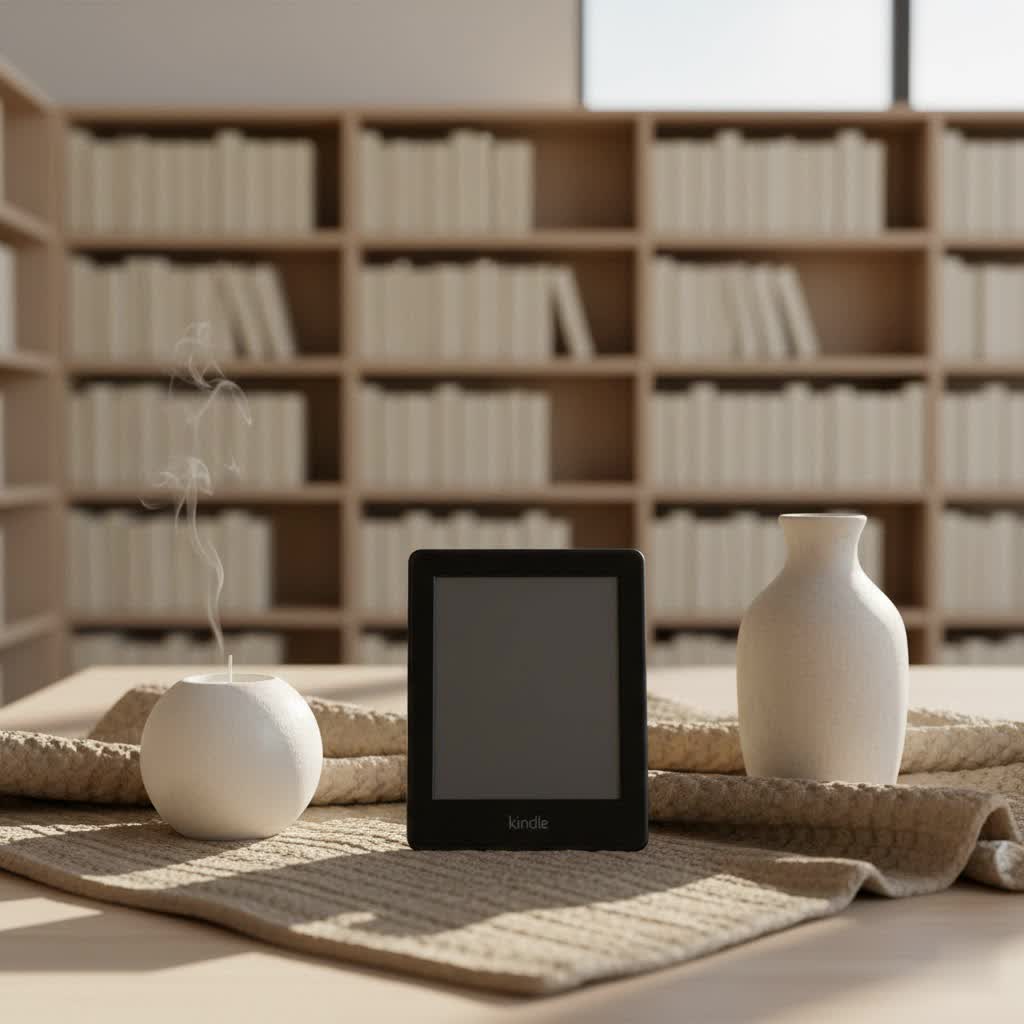
The journey of the Kindle ereader began in November 2007, when Amazon first introduced its groundbreaking device, forever changing how people consume books. This initial foray into digital reading laid the foundation for a series of innovations that would culminate in the beloved Paperwhite line. The Kindle Paperwhite itself first appeared as the fifth iteration within the broader Kindle family, bringing with it a pivotal feature: a built-in front light for reading in any environment.
Over the years, Kindle ereaders have seen remarkable technological advancements. Early models focused on replicating the basic print experience, but subsequent generations, particularly the Paperwhite, introduced game-changing features. Key improvements include enhanced E-Ink display clarity, improved anti-glare properties, the crucial addition of adjustable warm lighting for comfortable night reading, robust waterproofing, and the adoption of modern USB-C charging. Each generation has refined performance, making page turns faster and navigation smoother, solidifying Kindle’s dominance in the e-reader market and making digital reading a ubiquitous pastime.
The Unique Technology Behind Kindle Ereaders
At the heart of every Kindle ereader, especially the Paperwhite, lies its distinctive E-Ink technology. Unlike the backlit LCD or LED screens of tablets and smartphones, E-Ink displays are reflective, meaning they mimic the appearance of ink on paper by reflecting ambient light. This fundamental difference is what makes reading on a Kindle so comfortable and familiar, even under direct sunlight where other screens often wash out.
The E-Ink screen is composed of millions of tiny microcapsules, each containing positively charged white particles and negatively charged black particles suspended in a clear fluid. When an electric field is applied, these particles move to the surface, creating crisp, sharp text that is incredibly easy on the eyes. This “bistable” technology only consumes power when the image on the screen changes (i.e., when you turn a page), granting Kindles exceptional battery life that can last for weeks on a single charge.
For the Kindle Paperwhite, specific technological advancements elevate the reading experience further. Its anti-glare surface ensures readability in bright conditions, while the adjustable warm light system allows users to shift the screen tone from white to amber, reducing eye strain during evening reads. Modern Paperwhite models also boast IPX8 waterproofing, making them safe for poolside or bathtub reading, and include Bluetooth connectivity for enjoying Audible audiobooks with wireless headphones. Recent generations have also seen faster processors and improved page-turn speeds, alongside convenient features like pinch-to-zoom for adjusting font sizes directly on the page.
Comparing Current Kindle Ereader Models
Amazon offers a range of Kindle ereaders, each designed to cater to different reading habits and budgets. The Kindle Paperwhite stands out as a popular mid-tier option, striking an excellent balance between features and affordability.
- Kindle (Standard): The entry-level model is perfect for casual readers. It typically features a 6-inch E-Ink display, a front light (though often fewer LEDs and no warm light compared to the Paperwhite), and basic storage. While newer basic Kindles now offer 300 ppi resolution like their premium counterparts, they generally lack waterproofing and adjustable warm light.
- Kindle Paperwhite: This is often considered the sweet spot for most readers. The latest 12th generation (released in 2024) features a 7-inch, 300 ppi glare-free E-Ink display with adjustable warm light. It’s waterproof (IPX8 rated) and offers faster performance. The Paperwhite Signature Edition further enhances this with 32GB of storage, wireless charging, and an auto-adjusting front light.
- Kindle Oasis: Positioned as a premium option, the Oasis boasts an ergonomic design with physical page-turn buttons, a 7-inch, 300 ppi display, and an advanced warm lighting system (more LEDs than the Paperwhite). It offers a more luxurious feel and is also waterproof.
- Kindle Scribe: The largest and most feature-rich Kindle, the Scribe comes with a 10.2-inch, 300 ppi display and integrated writing capabilities. It includes a stylus, allowing users to take notes, journal, and annotate directly on their documents and books. This model is designed for those who want more than just reading from their ereader.
Detailed Comparison Table of Kindle Ereaders
|
Our Picks for the Best Kindle Ereader in 2026
As an Amazon Associate I earn from qualifying purchases.
|
||
| Num | Product | Action |
|---|---|---|
| 1 | Amazon Kindle Paperwhite 16GB (newest model) – 20% faster, with new 7" glare-free display and weeks of battery life – Jade + 3 Months of Kindle Unlimited (with auto-renewal) |

|
| 2 | Amazon Kindle 16 GB (newest model) - Lightest and most compact Kindle, now with faster page turns, and higher contrast ratio, for an enhanced reading experience - Matcha |
|
| 3 | Amazon Kindle Colorsoft 16 GB (newest model) – With paper-like color display that brings stories to life – No Ads – Black |
|
| 4 | Amazon Kindle Paperwhite 16GB (newest model) – 20% faster, with new 7" glare-free display and weeks of battery life – Black |
|
| 5 | Amazon Kindle 16 GB (newest model) - Lightest and most compact Kindle, now with faster page turns, and higher contrast ratio, for an enhanced reading experience - Black |
|
| 6 | Amazon Kindle 16 GB (newest model) - Lightest and most compact Kindle, now with faster page turns, and higher contrast ratio, for an enhanced reading experience - Black + 3 Months of Kindle Unlimited (with auto-renewal) |
|
| 7 | Amazon Kindle Paperwhite 16GB (newest model) – 20% faster, with new 7" glare-free display and weeks of battery life – Black + 3 Months of Kindle Unlimited (with auto-renewal) |
|
| 8 | Amazon Kindle Paperwhite Signature Edition 32GB (newest model) – 20% faster with auto-adjusting front light, wireless charging, and weeks of battery life – Metallic Jade |
|
| 9 | Amazon Kindle Paperwhite 16GB (newest model) – 20% faster, with new 7" glare-free display and weeks of battery life – Raspberry + 3 Months of Kindle Unlimited (with auto-renewal) |
|
| 10 | Amazon Kindle 16 GB (newest model) - Lightest and most compact Kindle, now with faster page turns, and higher contrast ratio, for an enhanced reading experience - Matcha + 3 Months of Kindle Unlimited (with auto-renewal) |
|
| Feature | Kindle (Standard) | Kindle Paperwhite | Kindle Oasis | Kindle Scribe |
|---|---|---|---|---|
| Screen Size | 6 inches | 7 inches | 7 inches | 10.2 inches |
| Resolution | 167-300 ppi | 300 ppi | 300 ppi | 300 ppi |
| Waterproofing | No | Yes (IPX8) | Yes (IPX8) | No |
| Front Light LEDs | 4 LEDs | 17/19 LEDs (Warm Light) | 25 LEDs (Warm Light) | 35 LEDs (Warm Light) |
| Storage | 8GB/16GB | 8GB/16GB/32GB (SE) | 8GB/32GB | 16GB/32GB/64GB |
| Stylus Support | No | No | No | Yes |
| Physical Buttons | No | No | Yes | No |
| Auto-Brightness | No | Yes (Signature Edition) | Yes | Yes |
| Wireless Charging | No | Yes (Signature Edition) | No | No |
| Price Segment | Entry-level | Mid-range | Premium | Highest-end |
How to Choose the Right Kindle Paperwhite Ereader
Selecting the perfect Kindle Paperwhite involves understanding your personal reading habits and priorities. Consider these factors:
- Identify Your Reading Needs: Are you a casual reader who primarily reads at home, or an avid bookworm who takes their device everywhere? Do you listen to audiobooks, or are you interested in taking notes directly on your screen? For most dedicated readers, the Kindle Paperwhite offers an ideal blend of features without unnecessary complexities.
- Budget Considerations: The Kindle Paperwhite sits comfortably in the mid-range price bracket, offering significant upgrades over the basic Kindle without the premium cost of the Oasis or Scribe. If budget is a primary concern but you still want a great reading experience, the standard Paperwhite is an excellent choice.
- Key Features That Matter:
- Waterproofing: If you love reading by the pool, at the beach, or in the bath, the Paperwhite’s IPX8 rating is a must-have.
- Adjustable Warm Light: For comfortable reading in low-light conditions or before bed, the Paperwhite’s ability to adjust color temperature is invaluable for reducing eye strain.
- Storage: While 8GB is sufficient for thousands of ebooks, frequent audiobook listeners or those with extensive digital libraries might prefer 16GB or the 32GB offered by the Signature Edition.
- Auto-Adjusting Brightness and Wireless Charging: These convenience features are exclusive to the Paperwhite Signature Edition. If you appreciate these small luxuries, the Signature Edition is worth the upgrade.
- Physical Page-Turn Buttons: If you prefer tactile feedback, the Kindle Oasis might be a better fit, as the Paperwhite relies on touch gestures.
- Note-Taking and Writing: If annotating documents or journaling is crucial, the Kindle Scribe is the only option in the Kindle lineup that offers this functionality.
- Read Reviews and Compare Prices: Before making a final decision, always consult recent reviews and compare prices from different retailers to ensure you’re getting the best value and the model that truly aligns with your expectations.
Where to Purchase Your Kindle Ereader
When you’re ready to buy your Kindle Paperwhite, several reputable options are available. The most direct route is through Amazon.com, which often has the latest models and exclusive deals. Major online electronics retailers and physical bookstores may also carry Kindle devices. Always check the retailer’s warranty, return policies, and customer service reputation before making a purchase to ensure a smooth buying experience.
Essential Tips for Using and Maintaining Your Kindle Ereader
To ensure your Kindle Paperwhite provides years of enjoyable reading, follow these simple usage and maintenance tips:
- Charge Correctly: Use the provided USB-C cable (for recent models) and a reliable power adapter. The Paperwhite Signature Edition also supports Qi wireless charging for added convenience. Avoid letting the battery completely drain too often.
- Clean the Screen Safely: E-Ink screens are delicate. Use a soft, lint-free cloth, slightly dampened with water if necessary, to gently wipe the screen. Avoid harsh chemicals or abrasive materials.
- Keep Software Updated: Regularly connect your Kindle to Wi-Fi to receive automatic software updates. These updates often include performance improvements, bug fixes, and new features.
- Utilize a Protective Case: A good quality case or cover will protect your Kindle from scratches, drops, and general wear and tear, especially if you carry it frequently.
- Avoid Extreme Temperatures: Like most electronics, Kindles perform best in moderate temperatures. Avoid leaving your device in direct sunlight, hot cars, or extremely cold environments, which can degrade battery life and potentially damage the screen.
Common Issues and Troubleshooting Your Kindle Paperwhite
While Kindle Paperwhites are generally reliable, you might occasionally encounter minor issues. Here are some common problems and their solutions:
- Frozen or Unresponsive Screen: The most common fix is a soft restart. Press and hold the power button for 7-10 seconds until the Kindle logo appears. If that doesn’t work, a hard restart (holding the power button for 40 seconds) or a factory reset (found in settings, but remember this erases all data) might be necessary.
- Wi-Fi Connectivity Problems: First, ensure Wi-Fi is enabled on your Kindle. If you can’t connect, try restarting your Wi-Fi router. You can also “forget” the network in your Kindle’s settings and then reconnect, re-entering the password.
- Battery Drains Quickly: Ensure you’re using a functional charging cable and adapter. Avoid leaving the device in extreme temperatures, as this can affect battery performance. Sometimes, a software glitch can cause drain, which a restart can often resolve.
- “Ghosting” on the Screen: Ghosting refers to faint remnants of previous text or images. E-Ink screens inherently refresh periodically to clear this. If it’s distracting, you can manually refresh the screen during reading by tapping the top of the screen to bring up the toolbar, then tapping anywhere on the page, or simply by turning the page.
- Ebooks Not Downloading or Corrupted Files: Check your Wi-Fi connection and ensure your Amazon account is active with a valid payment method. Try syncing your Kindle manually. If a specific book causes issues, remove it from your device and re-download it from your Amazon library. For sideloaded books, ensure the file is not corrupted.
Latest Kindle Paperwhite Ereader Models: A Closer Look
The Kindle Paperwhite 11th Generation (2021 release) marked a significant upgrade with its 6.8-inch, 300 ppi display, adjustable warm light, and USB-C charging. Its IPX8 waterproofing made it a resilient companion for many. The Signature Edition of this model further sweetened the deal with 32GB storage, wireless charging, and an ambient light sensor for automatic brightness adjustment.
Building on this success, the Kindle Paperwhite 12th Generation (2024 release) offers further refinements. While the screen resolution remains at a crisp 300 ppi, it now boasts a slightly larger 7-inch display and a noticeable 25% increase in page-turn speed, thanks to an upgraded Mediatek dual-core 1GHz processor and Carta 1300 display panel. The front light system has been enhanced with 10 white and 9 amber LEDs, providing even more nuanced warm light adjustment. These improvements make the 2024 Paperwhite the fastest Kindle to date, offering a smoother and more responsive reading experience for new buyers and those upgrading from older generations.
The Kindle Oasis (3rd Generation) continues to be favored by those who appreciate its asymmetrical, ergonomic design and physical page-turn buttons, alongside its advanced lighting system and premium build. For a completely different experience, the Kindle Scribe has carved out a niche for users who desire the ability to write and draw on a large E-Ink display, combining reading with productivity.
Kindle Ereader vs. Other Digital Reading Devices
While Kindle dominates the e-reader market, other brands offer compelling alternatives that might suit specific preferences:
- Kobo Ereaders: Kobo devices are strong competitors, particularly praised for their more open ecosystem and native integration with OverDrive, allowing easy borrowing of library books, especially for users outside the US. Kobo models often support a wider range of file formats and some, like the Kobo Libra Colour, feature physical page-turn buttons and an ergonomic grip. Their user interface is often described as less cluttered than Kindle’s.
- Nook Ereaders: Barnes & Noble’s Nook line, while offering some basic e-reading functionality, generally receives less enthusiastic reviews compared to Kindle and Kobo, particularly regarding software experience and responsiveness.
- Onyx Boox E-Ink Tablets: These devices go beyond simple e-readers, offering Android operating systems on E-Ink displays. They provide more versatility, including web browsing, app support, and advanced note-taking, but come with a higher price point and a steeper learning curve than dedicated e-readers.
The Kindle’s primary advantage lies in its seamless integration with Amazon’s vast ecosystem, including millions of ebooks, magazines, and newspapers, plus Audible audiobooks and services like Kindle Unlimited and Prime Reading. This makes content acquisition incredibly convenient and user-friendly for most readers.
Conclusion: Which Kindle Paperwhite Ereader is Right for You?
The Kindle Paperwhite ereader stands as a testament to the simple joy of reading, free from the distractions of the digital world. Its E-Ink display, adjustable warm light, and waterproofing create an unparalleled reading experience that closely mimics traditional paper books while offering modern conveniences. Whether you choose the standard Paperwhite for its incredible value or the Signature Edition for its added luxuries, you’re investing in a device designed to keep you immersed in stories for hours on end.
From its humble beginnings to the sophisticated models available today, the Kindle Paperwhite has consistently evolved to meet the needs of avid readers. It strikes an optimal balance between advanced features and an accessible price point, making it the top recommendation for most people seeking a dedicated e-reading device. By understanding its unique technology, comparing it with other models, and recognizing its key benefits, you can confidently select the Kindle Paperwhite that will become your favorite reading companion.
Ready to embark on countless literary adventures? Which feature of the Kindle Paperwhite excites you the most for your next reading journey?
