The world of digital reading has revolutionized how we access books, and services like Hoopla Digital have become cornerstones of this transformation, offering a vast library of content with just a tap. Simultaneously, Kindle E-readers continue to dominate the dedicated e-reading device market, beloved for their paper-like displays and long battery life. Many avid readers naturally wonder if these two titans of the digital sphere can seamlessly work together. This article aims to clarify the compatibility between Hoopla and various Kindle E-reader models, offering insights and alternatives to enhance your digital library experience.
The Evolution of Kindle E-readers: A Journey Through Digital Reading
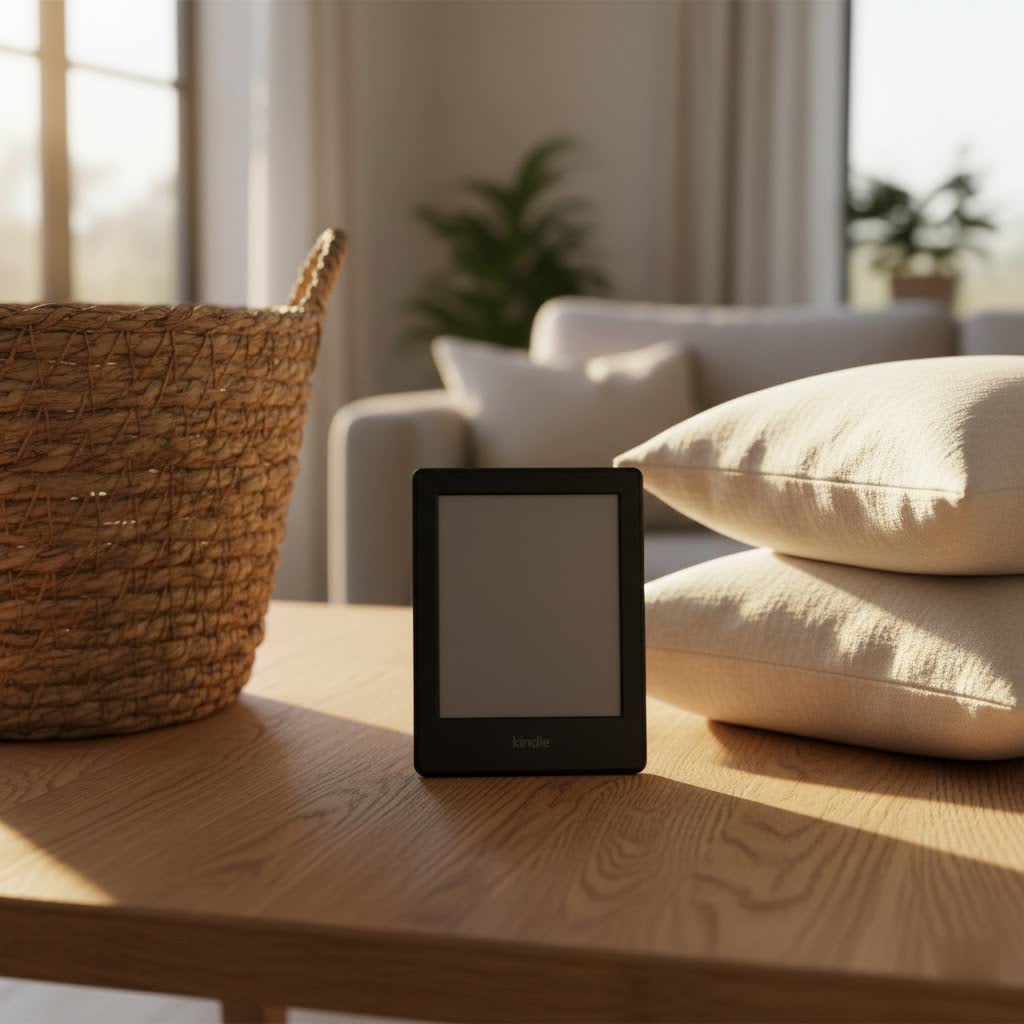
Since its introduction, the Kindle E-reader has profoundly impacted the way people read, ushering in an era of convenient digital libraries. The journey began with the first Kindle, a device focused purely on reading, designed to mimic the experience of ink on paper. Over the years, Amazon has continuously innovated, introducing crucial technological advancements. These include the advent of E-Ink Pearl displays for sharper text, integrated front lights for reading in the dark, touchscreens for easier navigation, and even waterproofing for worry-free poolside reading. Each new generation has refined the reading experience, making Kindle E-readers lighter, faster, and more user-friendly, solidifying their position as a preferred choice for dedicated readers worldwide.
The Unique Technology Behind Kindle E-readers
At the heart of every Kindle E-reader is its distinctive technology, primarily the E-Ink display. Unlike traditional backlit LCD or OLED screens, E-Ink uses tiny charged particles to create text and images, offering a high-contrast, paper-like appearance that is exceptionally easy on the eyes. This technology consumes minimal power, allowing for weeks of battery life on a single charge, and crucially, it eliminates the glare often associated with reading on glossy screens, even in direct sunlight. Beyond the screen, Kindles feature intuitive page-turning mechanisms, whether through touch or physical buttons, integrated dictionaries for instant word lookups, and robust note-taking and highlighting capabilities that transform the reading experience into an interactive journey.
Understanding the Kindle E-reader Landscape
Amazon offers a range of Kindle E-reader models, each catering to different preferences and budgets. The Kindle (standard) serves as the entry-level option, providing essential e-reading features at an accessible price point, ideal for casual readers. The Kindle Paperwhite elevates the experience with a higher-resolution screen, integrated adjustable warm light, and often boasts waterproofing, making it a popular choice for reading anywhere. For those seeking a premium experience, the Kindle Oasis features an ergonomic design, physical page-turn buttons, and adaptive front lighting, offering ultimate comfort during extended reading sessions. Finally, the Kindle Scribe introduces a larger screen and stylus support, blending the joys of reading with the utility of note-taking and journaling.
Detailed Comparison of Current Kindle Models
Choosing the right Kindle depends on your priorities. Here’s a breakdown of the key features across the popular models:
| Feature | Kindle | Kindle Paperwhite | Kindle Oasis | Kindle Scribe |
|---|---|---|---|---|
| Screen | 6 inch, 167 ppi | 6.8 inch, 300 ppi | 7 inch, 300 ppi | 10.2 inch, 300 ppi |
| Waterproofing | No | Yes | Yes | No |
| Front Light LEDs | 4 LED | 17 LED | 25 LED | 35 LED |
| Storage | 8GB | 8GB/16GB/32GB | 8GB/32GB | 16GB/32GB/64GB |
| Stylus Support | No | No | No | Yes |
| Price | Entry-level | Mid-range | Premium | Highest |
Hoopla Digital: Instant Access to Your Library
Hoopla Digital is a widely popular online service that partners with public libraries to provide cardholders with instant access to a diverse collection of digital media. With a valid library card, users can borrow eBooks, audiobooks, comics, movies, television shows, and music. One of Hoopla’s standout features is its “no waitlist” policy, meaning all titles are available immediately, unlike traditional library models where popular items may require a hold. This unique aspect allows users to dive into their chosen content without delay, making it an excellent resource for those who value instant gratification and variety in their digital entertainment. Libraries operate Hoopla on a pay-per-use model, which typically means borrowers have a monthly limit on the number of items they can check out.
Hoopla and Kindle E-readers: The Compatibility Reality
When it comes to using Hoopla with Kindle E-readers, the reality is a bit nuanced. Traditional E-Ink Kindles, such as the Kindle Paperwhite, Kindle Oasis, Kindle Scribe, and the basic Kindle models, are not directly compatible with the Hoopla app. These devices operate on a closed Amazon ecosystem that does not permit the installation of third-party applications. Hoopla’s content is primarily accessed through its dedicated app, which is not available in the Kindle E-reader’s software library.
The key exception to this rule is the Kindle Fire tablet lineup. Because Kindle Fire devices run on an Android-based operating system, they can access the Amazon Appstore, where the Hoopla app is available for download. This means if you own a Kindle Fire, you can enjoy Hoopla’s full range of content directly on your device. However, it’s important to remember that Kindle Fire tablets are multimedia devices with LCD screens, distinct from the E-Ink display and singular focus of dedicated Kindle E-readers.
While some complex workarounds involving Android emulators and file conversions might exist to get Hoopla content onto E-Ink Kindles, these methods are generally not straightforward, officially supported, or practical for most users due to digital rights management (DRM) and format limitations. For the vast majority of E-Ink Kindle owners, direct integration with Hoopla remains unavailable.
The Best Alternative: Libby for Kindle E-reader Users
For those who cherish their E-Ink Kindle E-readers and wish to access digital library books, Libby (powered by OverDrive) emerges as the premier solution. Libby offers a seamless and officially supported way to borrow eBooks, audiobooks, and magazines from your local library and send them directly to your Kindle E-reader. The integration is remarkably user-friendly: simply borrow a Kindle-compatible eBook through the Libby app or website, and you’ll be prompted to send it to your Amazon account, where it will then appear on your Kindle device. This makes Libby an indispensable tool for E-Ink Kindle owners, providing a native reading experience that Hoopla cannot offer on these specific devices.
How to Choose the Right Digital Library App for Your Needs
Deciding between Hoopla and Libby, or even using both, largely depends on your specific devices and content preferences. If you primarily use an E-Ink Kindle E-reader (Paperwhite, Oasis, Scribe), Libby is the clear choice for eBooks due to its direct integration. However, if you own a Kindle Fire tablet or frequently read on a smartphone or general-purpose tablet, Hoopla becomes a powerful option for its instant access and broader media selection, including movies and music. Consider whether you prefer a curated library with potential waitlists (Libby) or instant availability with monthly borrowing limits (Hoopla). Checking which service your local public library supports is also a crucial first step.
Where to Acquire Kindle E-readers and Digital Content
Kindle E-readers are primarily purchased through Amazon’s official website, offering a wide selection of models and accessories. They can also be found at major electronics retailers, both online and in brick-and-mortar stores. When purchasing, always check the warranty policies and return options for peace of mind. For digital content, your local public library is an incredible resource. By signing up for a library card, you gain free access to services like Libby and Hoopla, allowing you to borrow an extensive range of eBooks, audiobooks, and other media without any subscription fees.
Essential Tips for Using and Maintaining Your Kindle E-reader
To ensure your Kindle E-reader provides years of enjoyable reading, proper usage and maintenance are key. Always use the recommended charging cable and adapter to prolong battery life, avoiding overcharging. Regularly clean the E-Ink screen with a soft, lint-free cloth to remove fingerprints and dust, never using abrasive materials or harsh chemicals. Keeping your device’s software updated ensures you have the latest features and security enhancements. Finally, investing in a good quality protective cover can shield your Kindle from accidental drops and scratches, maintaining its pristine condition.
Troubleshooting Common Kindle E-reader Issues
Even the most reliable devices can encounter occasional hiccups. If your Kindle E-reader freezes, a simple soft reset (holding down the power button for 40 seconds) often resolves the issue. Screen glitches, such as partial image retention, are usually temporary and can be fixed by performing a full page refresh (if your model has this option) or by restarting the device. If your battery drains quickly, try reducing screen brightness, turning off Wi-Fi when not needed, and ensuring no books are stuck indexing. For Wi-Fi connectivity problems, double-check your network password, restart your router, or try forgetting and rejoining the network on your Kindle.
Diving Deeper: Reviews of Recent Kindle E-reader Models
The latest Kindle E-readers continue to impress. The Kindle Paperwhite (11th Gen), for example, boasts a larger, brighter display with adjustable warm light and a convenient USB-C port, making it a compelling upgrade for many. The Kindle Oasis (3rd Gen) maintains its premium appeal with an ergonomic design, physical page-turn buttons, and adaptive front light, catering to readers who prioritize comfort and a refined experience. The innovative Kindle Scribe truly stands out, combining the beloved E-Ink display with a large screen and responsive stylus for a natural writing and reading experience, perfect for note-takers and journalers.
Kindle E-readers vs. Other E-reading Devices
While Kindles are popular, other e-reading devices offer compelling alternatives. Kobo e-readers, for instance, are known for their open ecosystem and broader file format support, allowing users more flexibility with content sources. Devices like the Onyx Boox series take a different approach, running a full Android operating system on E-Ink displays. This crucial distinction means that unlike traditional Kindles, Onyx Boox devices can directly download and run Android apps, including the Hoopla app, offering a unique blend of E-Ink readability and app versatility. Nook devices, Barnes & Noble’s offering, also provide an alternative, often with strong library integration. The choice often comes down to ecosystem preference and specific feature requirements.
Conclusion: Making the Right Kindle E-reader Choice for Your Digital Library
Navigating the landscape of digital libraries and e-readers can seem complex, but understanding the compatibility between Hoopla Digital and Kindle E-readers is straightforward. While Hoopla’s app-based ecosystem means it isn’t directly compatible with traditional E-Ink Kindles like the Paperwhite or Oasis, it integrates seamlessly with Kindle Fire tablets. For dedicated E-Ink Kindle users, Libby by OverDrive stands out as the ideal solution, offering a direct pathway to borrow eBooks from your library. Ultimately, your perfect digital reading setup will depend on your device preferences and the types of content you wish to access. Embrace the freedom of digital reading, whether through the instant delights of Hoopla or the Kindle-friendly ease of Libby. Which digital library feature do you find most essential for your reading pleasure?
Frequently Asked Questions
Can I install the Hoopla app directly on my Kindle Paperwhite?
|
Our Picks for the Best Kindle Ereader in 2026
As an Amazon Associate I earn from qualifying purchases.
|
||
| Num | Product | Action |
|---|---|---|
| 1 | Amazon Kindle 16 GB (newest model) - Lightest and most compact Kindle, now with faster page turns, and higher contrast ratio, for an enhanced reading experience - Black + 3 Months of Kindle Unlimited (with auto-renewal) |

|
| 2 | Amazon Kindle Paperwhite 16GB (newest model) – 20% faster, with new 7" glare-free display and weeks of battery life – Black |
|
| 3 | Amazon Kindle 16 GB (newest model) - Lightest and most compact Kindle, now with faster page turns, and higher contrast ratio, for an enhanced reading experience - Black |
|
| 4 | Amazon Kindle Paperwhite 16GB (newest model) – 20% faster, with new 7" glare-free display and weeks of battery life – Jade + 3 Months of Kindle Unlimited (with auto-renewal) |
|
| 5 | Amazon Kindle Paperwhite 16GB (newest model) – 20% faster, with new 7" glare-free display and weeks of battery life – Raspberry + 3 Months of Kindle Unlimited (with auto-renewal) |
|
| 6 | Amazon Kindle 16 GB (newest model) - Lightest and most compact Kindle, now with faster page turns, and higher contrast ratio, for an enhanced reading experience - Matcha + 3 Months of Kindle Unlimited (with auto-renewal) |
|
| 7 | Amazon Kindle Colorsoft 16 GB (newest model) – With paper-like color display that brings stories to life – No Ads – Black |
|
| 8 | Amazon Kindle Paperwhite Signature Edition 32GB (newest model) – 20% faster with auto-adjusting front light, wireless charging, and weeks of battery life – Metallic Jade |
|
| 9 | Amazon Kindle 16 GB (newest model) - Lightest and most compact Kindle, now with faster page turns, and higher contrast ratio, for an enhanced reading experience - Matcha |
|
| 10 | Amazon Kindle Paperwhite 16GB (newest model) – 20% faster, with new 7" glare-free display and weeks of battery life – Black + 3 Months of Kindle Unlimited (with auto-renewal) |
|
No, traditional Kindle E-readers like the Paperwhite do not support third-party apps, including Hoopla. Hoopla functions via its dedicated app, which is not available for Kindle’s E-Ink devices.
Which Kindle devices are compatible with Hoopla?
Only Kindle Fire tablets are compatible with Hoopla, as they run on the Android operating system and allow you to download the Hoopla app from the Amazon Appstore.
Is there a way to get Hoopla eBooks onto my regular Kindle E-reader?
Directly transferring Hoopla eBooks to a Kindle E-reader is not officially supported due to DRM and Hoopla’s app-based ecosystem. While complex file conversion methods exist, they are not straightforward or guaranteed.
What is the best alternative to Hoopla for Kindle E-reader users?
Libby (by OverDrive) is widely considered the best alternative for Kindle E-reader users. It allows you to borrow eBooks from your local library and send them directly to your Kindle device.
Does Hoopla offer content other than eBooks?
Yes, Hoopla provides a wide range of digital media, including eBooks, audiobooks, comics, movies, TV shows, and music, all available instantly without waitlists through its app.
Why is Libby often recommended for Kindle users over Hoopla?
Libby has seamless integration with Kindle E-readers, allowing users to send borrowed eBooks directly to their Kindle for a native reading experience, which Hoopla does not offer for E-Ink devices.
Can I still use Hoopla if I own a Kindle Paperwhite?
Yes, you can still use Hoopla on other compatible devices like a smartphone, tablet (including Kindle Fire), or computer web browser. You just won’t be able to read Hoopla content directly on your Kindle Paperwhite.
