The allure of a free Kindle Ereader is undeniable, promising endless reading adventures without upfront cost. But in a world where quality often comes with a price tag, is the dream of a truly free Kindle a genuine possibility or merely a persistent myth? Many readers hope to discover how to acquire one of these popular devices without spending a dime. While outright free Kindle Ereader devices are rare, the good news is that experiencing the world of Kindle reading—and indeed, a vast library of free books—is more accessible than you might think. This guide delves into the reality of obtaining a free Kindle Ereader, explores legitimate alternatives, and shows you how to unlock a treasure trove of free digital books for your reading pleasure.
The Elusive Free Kindle Ereader Device: Fact or Fiction?
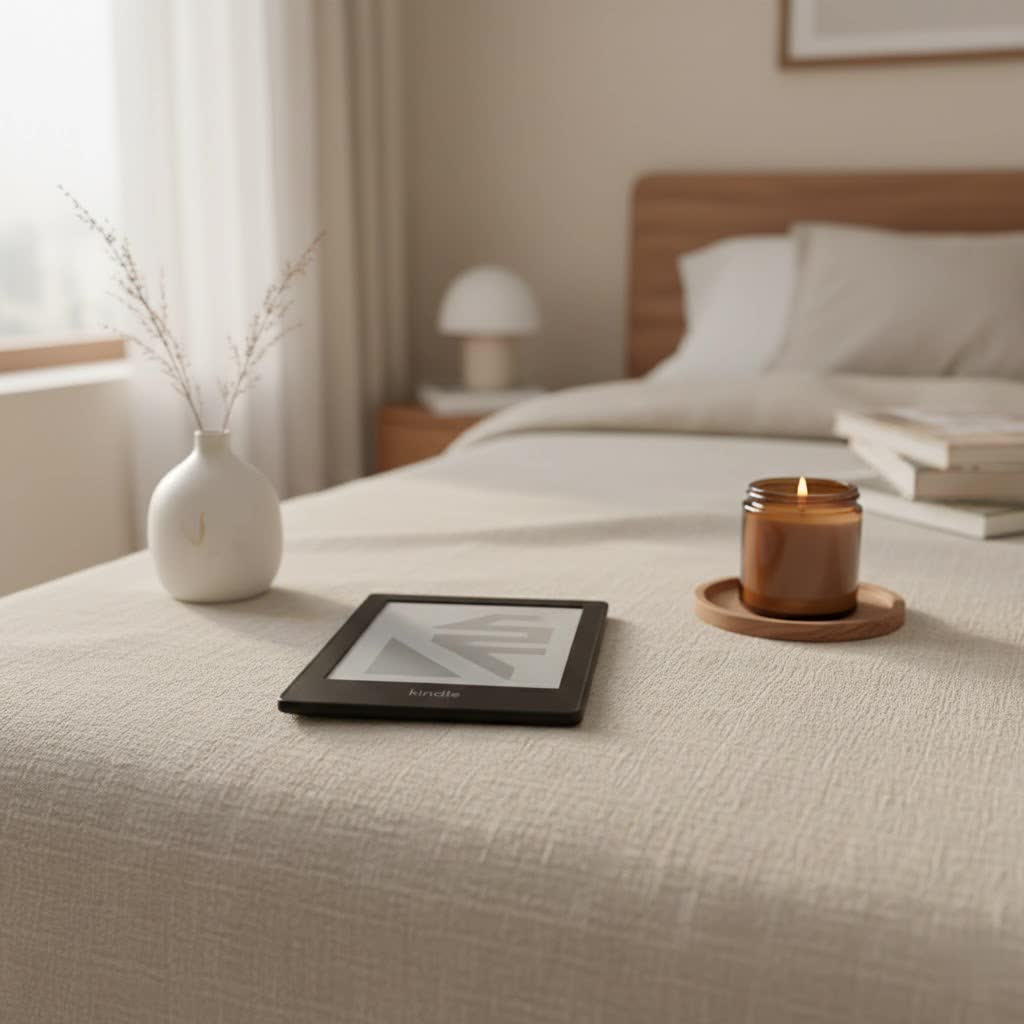
The primary business model of Amazon, the creator of the Kindle Ereader, is to sell its devices and the digital content that populates them. Therefore, Amazon rarely gives away brand-new physical Kindle Ereaders for free. However, that doesn’t mean the possibility is entirely non-existent.
Genuine opportunities for a truly free Kindle Ereader device are typically found through specific avenues:
- Giveaways and Contests: Keep an eye on reputable websites, authors, publishers, and influencers who occasionally host legitimate sweepstakes and giveaways. These events are often used to promote new books or build an audience, offering devices like the Kindle Paperwhite or Kindle Colorsoft as prizes. Entering these contests usually requires signing up for a newsletter or completing simple tasks.
- Pre-owned Devices from Friends or Family: While not “free” in the sense of zero monetary exchange, inheriting an older Kindle Ereader from someone who has recently upgraded is a common and practical way to get one without personal expense.
Beware of Scams: The promise of a “free Kindle Ereader” can also be a magnet for scams. Be extremely cautious of suspicious links, unsolicited emails, or social media posts that demand small payments or personal information to claim a “won” device. If an offer seems too good to be true, it almost certainly is, and could lead to unauthorized charges or data theft.
Transforming Your Existing Devices into a Kindle Ereader for Free
Even if a physical Kindle Ereader device isn’t within reach without cost, you can still enjoy the full Kindle reading experience by leveraging devices you already own. Amazon provides free applications that turn your smartphone, tablet, or computer into a fully functional Kindle Ereader.
The Versatile Kindle App
The Kindle app is Amazon’s answer to bringing its vast ebook ecosystem to everyone, regardless of whether they own a dedicated Kindle device. This free application offers a robust and customizable reading experience on a wide array of platforms:
- Smartphones and Tablets: Available for both iOS (iPhone, iPad) and Android devices, these apps allow you to carry your entire library in your pocket.
- PCs and Macs: Dedicated desktop applications enable you to read on larger screens, perfect for at-home reading or studying.
- Kindle for Web (formerly Kindle Cloud Reader): For ultimate flexibility, you can access your Kindle library directly through any web browser by visiting read.amazon.com, requiring only an internet connection.
Key Features of the Free Kindle App:
- Customizable Reading: Adjust font size, typeface, line spacing, margins, and even background color (white, sepia, or black) to create your ideal reading environment.
- Whispersync Technology: Seamlessly sync your reading progress, bookmarks, and highlights across all your Kindle apps and devices. Start reading on your phone during your commute and pick up exactly where you left off on your tablet later at home.
- Built-in Dictionary: Instantly look up word definitions without leaving your book.
- Notes and Highlights: Easily mark important passages and add personal notes, which are also synced across devices.
- Access to the Kindle Store: Browse, sample, and purchase millions of titles directly within the app, including a dedicated section for free books.
|
Our Picks for the Best Kindle Ereader in 2026
As an Amazon Associate I earn from qualifying purchases.
|
||
| Num | Product | Action |
|---|---|---|
| 1 | Amazon Kindle Paperwhite 16GB (newest model) – 20% faster, with new 7" glare-free display and weeks of battery life – Jade + 3 Months of Kindle Unlimited (with auto-renewal) |

|
| 2 | Amazon Kindle Paperwhite 16GB (newest model) – 20% faster, with new 7" glare-free display and weeks of battery life – Raspberry + 3 Months of Kindle Unlimited (with auto-renewal) |
|
| 3 | Amazon Kindle 16 GB (newest model) - Lightest and most compact Kindle, now with faster page turns, and higher contrast ratio, for an enhanced reading experience - Matcha + 3 Months of Kindle Unlimited (with auto-renewal) |
|
| 4 | Amazon Kindle 16 GB (newest model) - Lightest and most compact Kindle, now with faster page turns, and higher contrast ratio, for an enhanced reading experience - Matcha |
|
| 5 | Amazon Kindle 16 GB (newest model) - Lightest and most compact Kindle, now with faster page turns, and higher contrast ratio, for an enhanced reading experience - Black + 3 Months of Kindle Unlimited (with auto-renewal) |
|
| 6 | Amazon Kindle Colorsoft 16 GB (newest model) – With paper-like color display that brings stories to life – No Ads – Black |
|
| 7 | Amazon Kindle 16 GB (newest model) - Lightest and most compact Kindle, now with faster page turns, and higher contrast ratio, for an enhanced reading experience - Black |
|
| 8 | Amazon Kindle Paperwhite 16GB (newest model) – 20% faster, with new 7" glare-free display and weeks of battery life – Black |
|
| 9 | Amazon Kindle Paperwhite Signature Edition 32GB (newest model) – 20% faster with auto-adjusting front light, wireless charging, and weeks of battery life – Metallic Jade |
|
| 10 | Amazon Kindle Paperwhite 16GB (newest model) – 20% faster, with new 7" glare-free display and weeks of battery life – Black + 3 Months of Kindle Unlimited (with auto-renewal) |
|
Downloading the Kindle app is straightforward: simply visit your device’s app store (Apple App Store, Google Play Store) or Amazon’s website for PC/Mac versions, and sign in with your Amazon account.
Unlocking a Universe of Free Kindle Books and Content
While a free physical Kindle Ereader might be a rare find, an abundance of free books and digital content is readily available for your Kindle device or the free Kindle app. You don’t need to spend a fortune to build an impressive digital library.
Direct from Amazon
Amazon itself offers several legitimate avenues to discover free content:
- The Kindle Store’s “Free” Section: On Amazon’s website or directly through your Kindle device/app, you can search for “free Kindle books.” Filtering by “Price: Low to High” often reveals thousands of titles available at no cost.
- Amazon Prime Reading: If you are an Amazon Prime member, Prime Reading is a fantastic, often overlooked benefit. It provides access to a rotating selection of thousands of free ebooks, audiobooks, magazines, and comics. Prime members also get one free pre-release ebook each month via Amazon First Reads.
- “Stuff Your Kindle Day” Events: Periodically, various authors and promotional services organize “Stuff Your Kindle Day” events. During these 24-hour periods, hundreds of independent authors temporarily make their books available for free on Amazon, allowing readers to download as many as they like.
Public Libraries: Your Local Gateway to Free Ebooks
One of the most powerful and often underutilized resources for free Kindle books is your local public library.
- Libby and OverDrive: Most public libraries in the US (and many worldwide) partner with services like Libby or OverDrive. With a valid library card, you can borrow Kindle-compatible ebooks digitally. Simply download the free Libby or OverDrive app, link your library card, browse your library’s digital catalog, and send borrowed books directly to your Kindle device or app. The books are automatically returned after the loan period, just like physical books.
Open-Source & Public Domain Treasures
For lovers of classic literature, a vast collection of free ebooks awaits:
- Project Gutenberg: A pioneering effort in digital libraries, Project Gutenberg offers over 75,000 free ebooks whose copyrights have expired. You can download these timeless works, from “Pride and Prejudice” to “Frankenstein,” in various formats, including those compatible with Kindle.
Discovery Platforms and Promotions
Several platforms specialize in helping readers find free and discounted ebooks:
- BookBub and Freebooksy: These popular services curate daily lists of free and deeply discounted ebooks across multiple platforms, including Kindle. By signing up for their newsletters, you receive personalized recommendations based on your favorite genres, ensuring you don’t miss out on limited-time free offers.
- Goodreads: This social cataloging website features numerous lists, often created by members, showcasing “Best Free Kindle Books” or currently free titles.
- Advanced Reader Copies (ARCs): Websites like Booksprout or NetGalley allow readers to request free Advanced Reader Copies of upcoming books in exchange for an honest review. Many of these are available in formats compatible with Kindle.
Comparison of Free Kindle Book Sources
| Source | Type of Content | Requires Membership? | Best For |
|---|---|---|---|
| Amazon Kindle Store | Varied genres, indie authors | No (Amazon account needed) | Discovering new authors, promotional offers |
| Amazon Prime Reading | Curated selection, magazines | Yes (Amazon Prime) | Prime members seeking diverse content |
| “Stuff Your Kindle Day” | Indie fiction, specific genres | No (Amazon account needed) | Mass downloading temporary free titles |
| Libby/OverDrive | Library catalog, bestsellers | Yes (Library Card) | Borrowing popular and new releases |
| Project Gutenberg | Classic, public domain works | No | Timeless literature, educational purposes |
| BookBub/Freebooksy | Curated daily deals | No (Email signup recommended) | Finding limited-time free/discounted books |
| Goodreads | Member-curated lists | No (Account optional) | Community recommendations, exploring genres |
| Advanced Reader Copies | Pre-publication titles | No (Review required) | Early access to new releases, supporting authors |
Beyond Kindle: Free E-reading Alternatives
While the Kindle ecosystem is robust, numerous free e-reading apps exist that allow you to read various ebook formats on your existing devices, offering a “free ereader” experience without being tied to Amazon.
- General Ebook Reader Apps:
- Google Play Books: A popular choice for Android users, offering a vast store and a functional reader for ebooks and audiobooks.
- Apple Books: The native ebook and audiobook reader for iOS and macOS devices, providing a seamless experience for Apple users.
- Nook (Barnes & Noble) & Kobo Books: Apps from other major ebook retailers that allow you to read books purchased from their stores, often supporting EPUB and PDF files.
- FBReader, Moon+ Reader, Aldiko Book Reader: Feature-rich, multi-format readers for Android, offering extensive customization options.
- Calibre: This powerful, free, open-source ebook management software for Windows, macOS, and Linux is invaluable. It helps you organize your digital library, convert ebooks between different formats (like EPUB to MOBI for older Kindles), and transfer them to various devices.
Maximizing Your Free Reading Journey
To get the most out of your free Kindle Ereader experience or other free e-reading alternatives, consider these tips:
- Set Up Alerts: Sign up for newsletters from BookBub, Freebooksy, and your local library to receive notifications about new free books and deals.
- Explore Genres: Don’t limit yourself. Free books are a fantastic way to explore new genres or authors you might not typically consider.
- Utilize Library Resources: Actively check your local library’s digital catalog; new titles are added regularly.
- Stay Organized: Use Calibre to manage your downloaded ebooks, convert formats if necessary, and keep your library tidy.
- Practice Online Safety: When seeking giveaways or free content, ensure you are on reputable websites and avoid clicking suspicious links or providing unnecessary personal information.
> “The true value of a Kindle Ereader isn’t just the device itself, but the incredible access it provides to stories. And with so many free options available, everyone can be a reader.” – ReviewRshop Admin, Ereader Technology Enthusiast
Conclusion
While the dream of receiving a brand-new, physical Kindle Ereader for absolutely no cost remains largely a myth—barring legitimate giveaways—the world of free Kindle reading is vibrantly real and incredibly accessible. By utilizing the free Kindle apps on your existing devices, tapping into Amazon’s own free content, and exploring the vast resources offered by public libraries and open-source projects like Project Gutenberg, you can build an extensive digital library without spending a single penny. Embrace the versatility of e-reading apps and smart content discovery to transform your everyday gadgets into powerful reading machines. So, what amazing story will you discover next, completely free?
Frequently Asked Questions
Is it really possible to get a new Kindle Ereader for free?
While Amazon typically doesn’t give away physical Kindle Ereaders for free as part of its business model, legitimate opportunities can arise through online giveaways, contests hosted by authors or websites, or receiving a pre-owned device from friends or family. Be cautious of scams promising free devices that require small payments.
What are Kindle apps, and do they cost money?
Kindle apps are free applications provided by Amazon that allow you to read Kindle ebooks on your smartphone, tablet, PC, Mac, or web browser. They replicate the Kindle reading experience without needing a dedicated device and do not cost money to download or use for reading your purchased or free Kindle content.
How do I find free books to read on my Kindle device or app?
You can find free Kindle books directly from the Amazon Kindle Store by filtering results by price (low to high), through Amazon Prime Reading (for Prime members), during “Stuff Your Kindle Day” promotions, by borrowing from public libraries via Libby/OverDrive, or by exploring classic literature on Project Gutenberg. Services like BookBub and Freebooksy also notify you of free deals.
Are “Stuff Your Kindle Days” legitimate?
Yes, “Stuff Your Kindle Day” events are legitimate. They are periodic promotions where many independent authors temporarily make their Kindle books available for free on Amazon for a 24-hour period. These are excellent opportunities to expand your digital library at no cost.
Can I borrow library books for free on a Kindle?
Absolutely! Most public libraries offer digital lending services through apps like Libby or OverDrive. With a valid library card, you can borrow Kindle-compatible ebooks directly from your local library’s digital catalog and send them to your Kindle device or the free Kindle app, all at no charge.
