For devoted bibliophiles, the Kindle Ereader has long been synonymous with digital reading, offering a gateway to countless stories in a compact form. Within Amazon’s diverse lineup, the Kindle Oasis stands out as a premium device, crafted for those who seek a luxurious and immersive reading experience. While newer models have emerged, the Oasis continues to captivate with its distinctive design and advanced features, making it a compelling option for discerning readers.
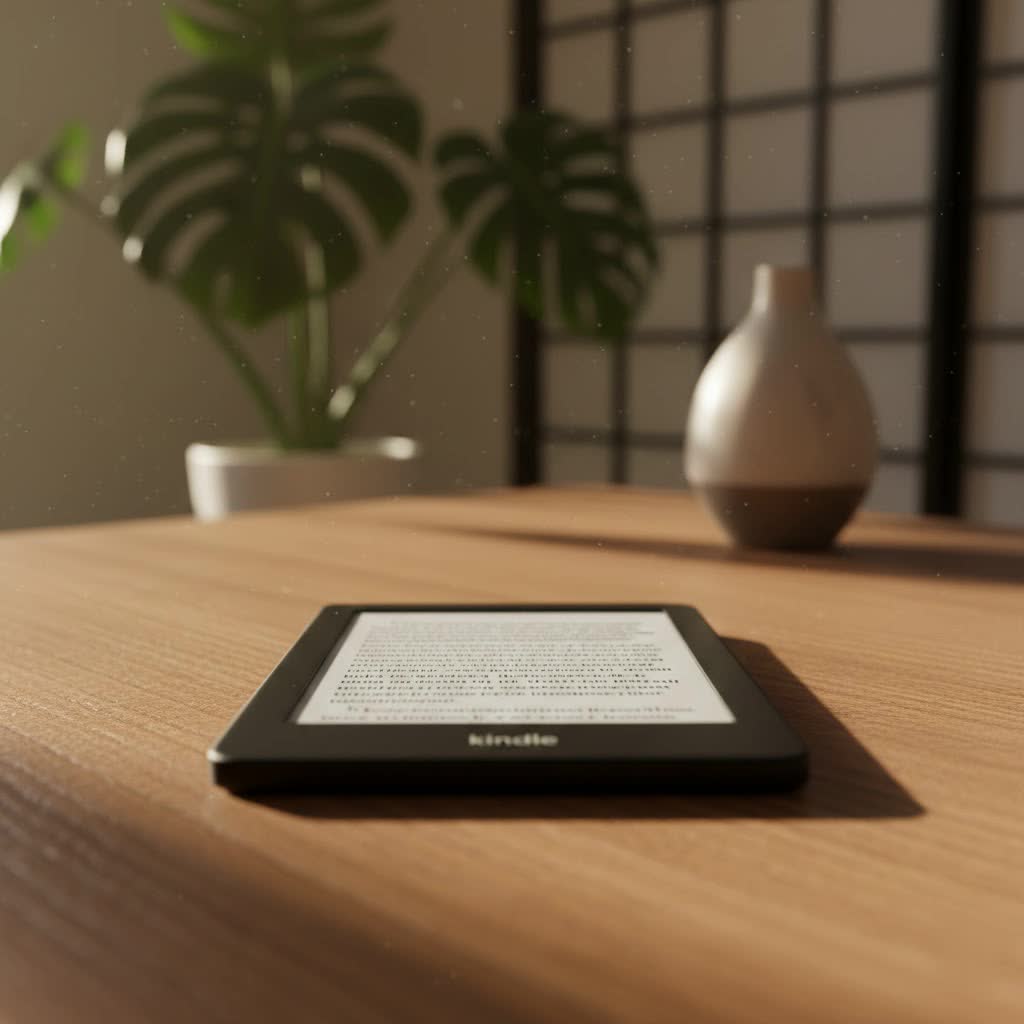
The Evolution of Kindle Ereaders
The journey of the Kindle Ereader began in November 2007, when Amazon first introduced its groundbreaking device. The initial model featured a 6-inch E Ink display and aimed to replicate the comfort of reading a physical book. Over the years, Kindle Ereaders have seen remarkable advancements, moving from physical keyboards to intuitive touchscreens, integrating built-in front lights, and continually enhancing display resolution. Key milestones include the introduction of the Kindle Paperwhite in 2012 with its revolutionary front lighting, followed by the addition of waterproofing and adjustable warm light, features that significantly improved the reading experience in various environments. These innovations have cemented Kindle’s position as a leader in the ereader market, continuously adapting to reader needs.
The Unique Technology Behind Kindle Ereaders
At the heart of every Kindle Ereader, including the Oasis, is E-Ink technology, designed to mimic the appearance of traditional paper. This technology offers several distinct advantages that make it ideal for reading.
Màn hình E-Ink: Ưu điểm và nhược điểm
E-Ink displays are highly reflective, meaning they use ambient light to illuminate the screen rather than emitting light from behind, much like a physical book. This design drastically reduces eye strain, allowing for extended reading sessions without discomfort, and is particularly beneficial for reading before sleep as it minimizes blue light exposure. Another significant advantage is the incredibly low power consumption; E-Ink screens only draw power when the page content changes, resulting in battery life that can last for weeks on a single charge. Furthermore, E-Ink displays are highly legible even in direct sunlight, a stark contrast to the glare and washout often experienced with LCD or OLED screens.
However, E-Ink technology does have its limitations. The refresh rate is inherently slower compared to traditional digital displays, making it unsuitable for displaying videos, complex animations, or fast-paced graphics. While color E-Ink technology is emerging, it currently offers a more limited color gamut and less vibrancy than LCD or OLED screens. Historically, E-Ink displays could also be more expensive to manufacture, impacting the overall price of ereaders.
How Anti-Glare Technology Works
Kindle Ereaders, particularly the premium models, incorporate advanced anti-glare technology. This is achieved through the matte finish of the E-Ink screen, which diffuses incoming light rather than reflecting it directly back to the user. This physical property, combined with precise front-lighting, ensures text remains crisp and readable whether you’re under bright fluorescent lights or soaking up the sun outdoors.
Special Features: Page Turn, Dictionary, Notes
Kindle Ereaders are packed with features designed to enhance the reading experience. Users can effortlessly turn pages with a tap or, in the case of the Kindle Oasis, with convenient physical page-turn buttons. Integrated dictionaries allow for instant look-ups of unfamiliar words without leaving the page. The ability to highlight text, add notes, and even export them makes academic study or deep reading more productive. Features like X-Ray provide deeper insights into books, offering character lists and common terms, while Goodreads integration connects readers to a vast community.
Comparing Current Kindle Ereader Models
Amazon offers a range of Kindle Ereaders, each catering to different needs and budgets.
- Kindle (Standard Model): The most affordable and lightweight option, featuring a 6-inch 300 ppi display and front light. It’s an excellent entry point for new ereader users, offering core reading functionality in a portable package. It’s not waterproof.
- Kindle Paperwhite: A step up, the Paperwhite boasts a larger 6.8-inch 300 ppi display, adjustable warm light, and IPX8 waterproofing, making it suitable for reading by the pool or in the bath. The Paperwhite Signature Edition further adds auto-adjusting light and wireless charging. It strikes a balance between features and price, making it a popular choice for many readers.
- Kindle Oasis: Positioned as Amazon’s premium ereader, the Oasis (10th generation, 2019) features a 7-inch 300 ppi display with 25 LEDs for uniform lighting and adjustable warm light. Its distinctive asymmetrical design with physical page-turn buttons and premium build materials offer a luxurious feel. It is also waterproof (IPX8) and supports Audible audiobooks via Bluetooth. However, it still uses Micro-USB for charging, and there hasn’t been a refresh since 2019.
- Kindle Scribe: The largest Kindle to date with a 10.2-inch 300 ppi screen, the Scribe integrates writing capabilities with an included stylus. It allows users to take notes, journal, and mark up documents, transforming the ereader into a digital notebook. While powerful for productivity, its size and weight make it less ideal for one-handed reading, and it is not waterproof.
Detailed Comparison Table of Kindle Models
|
Our Picks for the Best Kindle Ereader in 2026
As an Amazon Associate I earn from qualifying purchases.
|
||
| Num | Product | Action |
|---|---|---|
| 1 | Amazon Kindle Paperwhite 16GB (newest model) – 20% faster, with new 7" glare-free display and weeks of battery life – Raspberry + 3 Months of Kindle Unlimited (with auto-renewal) |

|
| 2 | Amazon Kindle Paperwhite 16GB (newest model) – 20% faster, with new 7" glare-free display and weeks of battery life – Black |
|
| 3 | Amazon Kindle 16 GB (newest model) - Lightest and most compact Kindle, now with faster page turns, and higher contrast ratio, for an enhanced reading experience - Black + 3 Months of Kindle Unlimited (with auto-renewal) |
|
| 4 | Amazon Kindle 16 GB (newest model) - Lightest and most compact Kindle, now with faster page turns, and higher contrast ratio, for an enhanced reading experience - Matcha |
|
| 5 | Amazon Kindle Colorsoft 16 GB (newest model) – With paper-like color display that brings stories to life – No Ads – Black |
|
| 6 | Amazon Kindle Paperwhite 16GB (newest model) – 20% faster, with new 7" glare-free display and weeks of battery life – Black + 3 Months of Kindle Unlimited (with auto-renewal) |
|
| 7 | Amazon Kindle 16 GB (newest model) - Lightest and most compact Kindle, now with faster page turns, and higher contrast ratio, for an enhanced reading experience - Matcha + 3 Months of Kindle Unlimited (with auto-renewal) |
|
| 8 | Amazon Kindle Paperwhite Signature Edition 32GB (newest model) – 20% faster with auto-adjusting front light, wireless charging, and weeks of battery life – Metallic Jade |
|
| 9 | Amazon Kindle 16 GB (newest model) - Lightest and most compact Kindle, now with faster page turns, and higher contrast ratio, for an enhanced reading experience - Black |
|
| 10 | Amazon Kindle Paperwhite 16GB (newest model) – 20% faster, with new 7" glare-free display and weeks of battery life – Jade + 3 Months of Kindle Unlimited (with auto-renewal) |
|
| Feature | Kindle | Kindle Paperwhite | Kindle Oasis | Kindle Scribe |
|---|---|---|---|---|
| Screen Size | 6 inches | 6.8 inches | 7 inches | 10.2 inches |
| Resolution (ppi) | 300 ppi | 300 ppi | 300 ppi | 300 ppi |
| Water Resistance | No | Yes (IPX8) | Yes (IPX8) | No |
| Front Light LEDs | 4 LEDs | 17 LEDs | 25 LEDs | 35 LEDs |
| Warm Adjustable Light | No | Yes | Yes | Yes |
| Auto-Adjusting Light | No | Signature Edition Only | Yes | Yes |
| Storage | 16GB | 8GB/16GB | 8GB/32GB | 16GB/32GB/64GB |
| Page Turn Buttons | No | No | Yes | No |
| Stylus Support | No | No | No | Yes |
| Charging Port | USB-C | USB-C | Micro-USB | USB-C |
| Price | Most affordable | Mid-range | Premium | Highest |
Guide to Choosing the Right Kindle Ereader
Selecting the perfect Kindle Ereader requires a thoughtful assessment of your reading habits and preferences.
- Identify Your Reading Needs: Are you a casual reader who enjoys novels? Do you read extensively for work or study, requiring note-taking capabilities? Do you read in varied environments, like by the pool or on public transport? Your primary use case will heavily influence your choice.
- Consider Your Budget: Kindle models span a wide price range. The entry-level Kindle offers excellent value for basic reading, while the Paperwhite provides more advanced features at a mid-range price. The Oasis and Scribe represent higher investments for those prioritizing specific premium features or note-taking.
- Key Features to Prioritize:
- Water Resistance: Essential for beach, bath, or poolside reading. Available on Paperwhite and Oasis.
- Adjustable Warm Light: Reduces eye strain in low-light conditions and is ideal for nighttime reading. Available on Paperwhite, Oasis, and Scribe.
- Physical Page-Turn Buttons: A favorite feature for many Oasis users, offering a tactile way to navigate pages without touching the screen.
- Screen Size: Smaller screens (6-7 inches) are more portable, while larger screens (6.8-10.2 inches) like the Paperwhite, Oasis, or Scribe provide more text per page and a more expansive view for comics or PDFs.
- Storage: 8GB is sufficient for thousands of ebooks, but 32GB or more is recommended if you plan to store many audiobooks or large documents.
- Note-Taking: If handwriting notes or annotating documents is crucial, the Kindle Scribe is your only option within the Kindle family.
- Read Reviews and Compare Prices: Always consult independent reviews and compare prices from multiple retailers to ensure you’re getting the best deal and making an informed decision. Look for sales events like Prime Day for potential discounts.
Where to Buy a Kindle Ereader
Kindle Ereaders are widely available through various channels.
- Major Online Retailers: Amazon is the primary retailer, often offering the latest models and best deals. Other large online marketplaces may also carry Kindles.
- Electronics Retail Stores: Physical electronics stores often stock Kindle Ereaders, allowing you to get a hands-on feel for the devices before purchasing.
- Warranty and Return Policies: Always check the warranty and return policies before making a purchase, especially when buying from third-party sellers.
Tips for Using and Maintaining Your Kindle Ereader
To ensure your Kindle Ereader lasts for years and provides an optimal reading experience, follow these maintenance tips.
- Charge Correctly: Use the original charger or a reputable alternative. Avoid overcharging, and try to keep the battery between 20% and 80% for longevity.
- Clean the Screen: Use a soft, lint-free cloth, slightly dampened with water if necessary, to gently clean the E-Ink screen. Avoid harsh chemicals or abrasive materials.
- Regular Software Updates: Keep your Kindle’s software up to date to access the latest features, bug fixes, and performance improvements.
- Use a Protective Cover: A high-quality cover or case will protect your Kindle from scratches, drops, and accidental damage, especially if you carry it frequently.
Common Issues and Troubleshooting
Even with robust design, Kindle Ereaders can occasionally encounter issues.
- Kindle Freezes: If your Kindle becomes unresponsive, perform a hard reset by holding the power button for 40 seconds until the device restarts.
- Screen Glitches: Minor E-Ink ghosting (faint remnants of previous pages) is normal, but persistent or severe screen errors may indicate a hardware issue. Try a soft reset first.
- Rapid Battery Drain: Ensure Wi-Fi is turned off when not in use, reduce screen brightness, and disable auto-page refresh if available. Check for background processes or stuck indexing.
- Poor Wi-Fi Connectivity: Restart your Kindle and Wi-Fi router. Ensure your Kindle is within range of the router and there are no obstructions.
Detailed Reviews of Latest Kindle Ereader Models
While the Kindle Oasis (3rd generation, 2019) remains a premium device, it’s worth noting its age when considering the “latest” models.
- Kindle Paperwhite (11th Generation): Released in 2021, this model significantly improved upon its predecessor with a larger 6.8-inch screen, adjustable warm light, and USB-C charging. The Signature Edition adds wireless charging and more storage, making it a very strong contender for overall best value.
- Kindle Oasis (3rd Generation): The 2019 Oasis, while not recently updated, still offers a fantastic reading experience. Its 7-inch, 300 ppi display with 25 LEDs and warm light remains top-tier. The physical page-turn buttons and asymmetrical design are beloved by many for their ergonomic benefits during long reading sessions. However, its Micro-USB port and higher price point compared to the feature-rich Paperwhite (11th Gen) can be drawbacks.
- Kindle Scribe: As Amazon’s newest offering, the Scribe (released 2022) caters to a different niche. Its expansive 10.2-inch display and stylus provide a unique blend of reading and writing, ideal for students, professionals, or anyone who enjoys annotating. It’s an innovative step for the Kindle line, bringing new functionality beyond pure reading.
Kindle Ereader vs. Other E-Reading Devices
The ereader market is not exclusive to Amazon. Other notable brands offer compelling alternatives.
- Kobo: Kobo ereaders are strong competitors, often praised for their open ecosystem, allowing more flexibility with file formats and library services. Many Kobo models feature adjustable warm light and waterproofing.
- Nook: Barnes & Noble’s Nook ereaders provide access to their extensive ebook store and often feature similar E-Ink advantages.
- Onyx Boox: These Android-based ereaders are more akin to E-Ink tablets, offering greater versatility with app installations and larger screens, often with stylus support for note-taking. They typically come at a higher price point but offer more functionality beyond just reading.
Conclusion: Which Kindle Ereader Should You Buy?
The choice of Kindle Ereader ultimately depends on your individual priorities.
For the budget-conscious reader, the standard Kindle offers an excellent, straightforward reading experience. If you desire a robust set of features—including a larger screen, warm light, and waterproofing—without breaking the bank, the Kindle Paperwhite (especially the 11th generation or Signature Edition) is arguably the best value and the optimal choice for most users. Its blend of modern features and accessible price point makes it a fantastic all-rounder.
However, for those who prioritize a premium, luxurious reading experience with dedicated physical page-turn buttons and a distinctive ergonomic design, the Kindle Oasis remains a strong contender. Its elegant build and advanced lighting system provide unparalleled comfort for extended reading sessions, even if it comes with a higher price tag and an older charging port. Finally, if your reading habits extend to note-taking, journaling, or annotating documents, the Kindle Scribe offers a unique and powerful solution, bridging the gap between an ereader and a digital notebook.
No matter which Kindle you choose, you’re investing in a device designed to enhance your reading journey. Which features are most important for your ideal reading experience?
