For the avid reader, nothing quite compares to getting lost in a good book. But as digital libraries expand and reading habits evolve, the desire for a more expansive and immersive e-reading experience grows. If you’ve ever found yourself squinting at tiny text or constantly turning pages, a large Kindle E-reader might be the game-changer you need. This guide will walk you through the world of Amazon’s big-screen Kindles, helping you understand their unique technologies, compare the various models, and ultimately choose the one that perfectly fits your reading lifestyle.
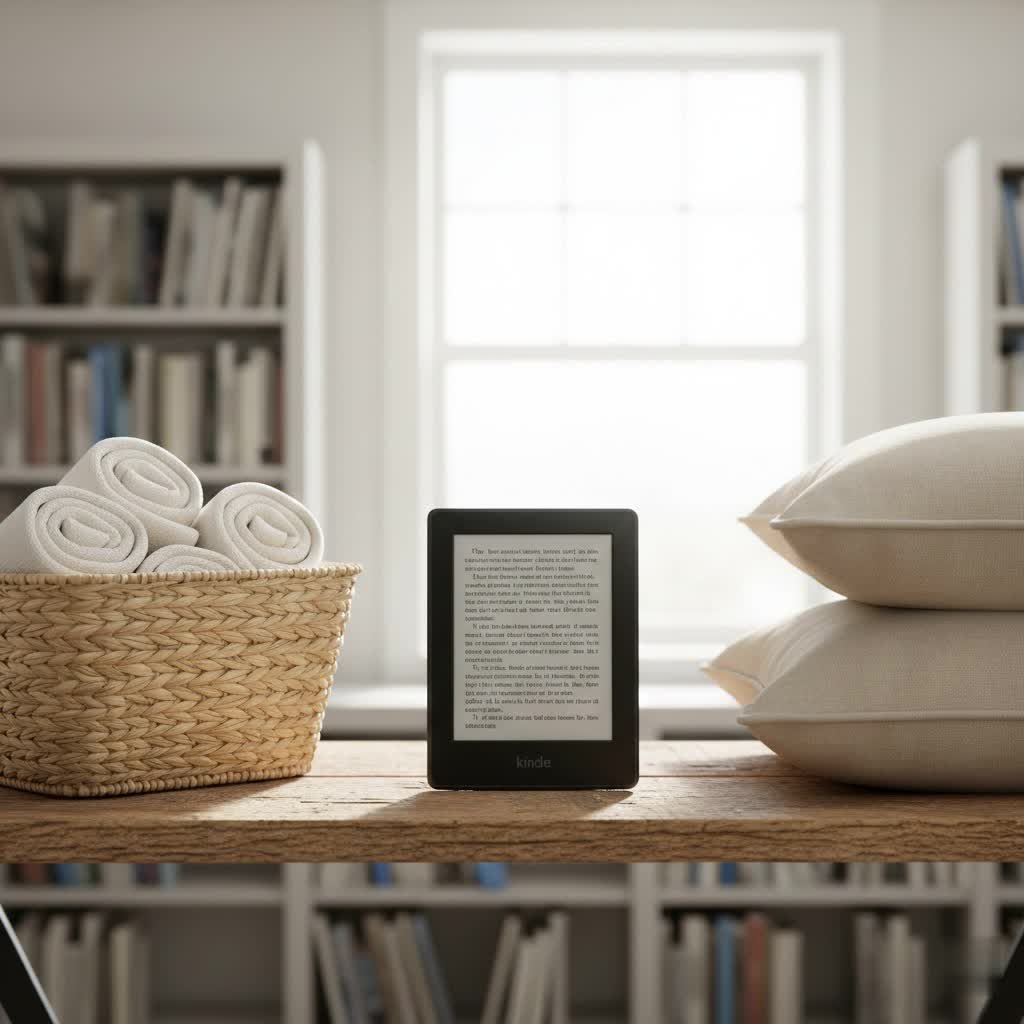
The Evolution of Kindle E-readers and Their Larger Screens
The journey of the Kindle E-reader began in 2007, pioneering a new era of digital reading. While the initial models featured a compact 6-inch screen, Amazon quickly recognized the need for more expansive displays. The Kindle DX, introduced in 2009, marked a significant leap with its 9.7-inch screen, catering to readers of newspapers, textbooks, and larger documents. This early innovation paved the way for modern large-screen Kindles, which have continued to push boundaries in display technology, resolution, and specialized features. Today, devices like the Kindle Oasis and the innovative Kindle Scribe carry on this legacy, offering immersive reading experiences that were once unimaginable.
The Unique Technology Behind Kindle E-readers
What truly sets Kindle E-readers apart is their commitment to replicating the natural reading experience. At the heart of every Kindle is its E-Ink display. This revolutionary technology uses tiny microcapsules containing positively charged white particles and negatively charged black particles. When an electric field is applied, these particles move to the surface, creating text and images that mimic traditional ink on paper.
The primary advantage of E-Ink is its glare-free nature. Unlike backlit LCD or OLED screens found in tablets and smartphones, E-Ink screens reflect ambient light, making them perfectly readable even in bright sunlight. This significantly reduces eye strain, allowing for hours of comfortable reading. Modern Kindles also feature integrated front lights, which illuminate the screen from the front, rather than shining light directly into your eyes. Many models further enhance this with an adjustable warm light, allowing you to shift the screen tone from cool white to warm amber, reducing blue light exposure, which can disrupt sleep patterns when reading at night. Advanced features like X-Ray, built-in dictionaries, and note-taking capabilities (especially on the Scribe) further enrich the digital reading experience, making these devices more than just simple e-readers.
Comparing Current Large-Screen Kindle E-reader Models
Amazon offers a range of Kindle E-readers, each designed to cater to different preferences, with several models standing out for their larger displays.
The Kindle Paperwhite (latest generation) has evolved to offer a more substantial screen. With its 6.8 or 7-inch, 300 ppi glare-free display, it provides crisp text and images. This model is waterproof, making it a perfect companion for poolside or bath-time reading, and features an adjustable warm light for comfortable reading at any hour. The Paperwhite strikes an excellent balance between screen size, portability, and essential premium features, making it a popular choice for general readers seeking a larger display without the highest price tag. The Signature Edition further enhances this with 32GB of storage, auto-adjusting brightness, and wireless charging.
For those who appreciated a premium feel and ergonomic design, the Kindle Oasis (3rd generation) featured a 7-inch, 300 ppi display. Its distinctive asymmetrical design with physical page-turn buttons and an aluminum back was designed for comfortable one-handed reading. The Oasis also included an adjustable warm light and waterproofing. However, it’s important to note that the Kindle Oasis is an older model (last updated in 2019) and has been discontinued in some markets, with Amazon indicating no current plans for new devices featuring physical buttons.
The Kindle Scribe stands as Amazon’s largest E-reader, boasting a generous 10.2-inch, 300 ppi display. What truly sets the Scribe apart is its integrated stylus functionality, transforming it into a versatile reading and writing device. It’s ideal for annotating documents, journaling, sketching, and particularly shines when reading PDFs, graphic novels, or academic textbooks where screen real estate and the ability to interact directly with content are crucial. More recent iterations, such as the Kindle Scribe Colorsoft (2025/2026 update), introduce practical color to the large E-Ink screen, enhancing book covers, diagrams, and allowing for color-coded notes, though this comes with a premium price. The Scribe line caters to users who need both an expansive reading surface and robust note-taking capabilities.
Detailed Comparison of Kindle E-reader Models
|
Our Picks for the Best Kindle Ereader in 2026
As an Amazon Associate I earn from qualifying purchases.
|
||
| Num | Product | Action |
|---|---|---|
| 1 | Amazon Kindle 16 GB (newest model) - Lightest and most compact Kindle, now with faster page turns, and higher contrast ratio, for an enhanced reading experience - Matcha + 3 Months of Kindle Unlimited (with auto-renewal) |

|
| 2 | Amazon Kindle Paperwhite 16GB (newest model) – 20% faster, with new 7" glare-free display and weeks of battery life – Black + 3 Months of Kindle Unlimited (with auto-renewal) |
|
| 3 | Amazon Kindle Paperwhite 16GB (newest model) – 20% faster, with new 7" glare-free display and weeks of battery life – Raspberry + 3 Months of Kindle Unlimited (with auto-renewal) |
|
| 4 | Amazon Kindle Paperwhite 16GB (newest model) – 20% faster, with new 7" glare-free display and weeks of battery life – Jade + 3 Months of Kindle Unlimited (with auto-renewal) |
|
| 5 | Amazon Kindle 16 GB (newest model) - Lightest and most compact Kindle, now with faster page turns, and higher contrast ratio, for an enhanced reading experience - Black + 3 Months of Kindle Unlimited (with auto-renewal) |
|
| 6 | Amazon Kindle Paperwhite 16GB (newest model) – 20% faster, with new 7" glare-free display and weeks of battery life – Black |
|
| 7 | Amazon Kindle 16 GB (newest model) - Lightest and most compact Kindle, now with faster page turns, and higher contrast ratio, for an enhanced reading experience - Black |
|
| 8 | Amazon Kindle 16 GB (newest model) - Lightest and most compact Kindle, now with faster page turns, and higher contrast ratio, for an enhanced reading experience - Matcha |
|
| 9 | Amazon Kindle Paperwhite Signature Edition 32GB (newest model) – 20% faster with auto-adjusting front light, wireless charging, and weeks of battery life – Metallic Jade |
|
| 10 | Amazon Kindle Colorsoft 16 GB (newest model) – With paper-like color display that brings stories to life – No Ads – Black |
|
To help you make an informed decision, here’s a detailed comparison of the key features across different Kindle models, focusing on those that offer larger screen sizes or are relevant for comparison.
| Feature | Kindle (Basic) (Latest) | Kindle Paperwhite (Latest) | Kindle Oasis (Gen 3) | Kindle Scribe (Latest B&W) | Kindle Scribe Colorsoft (Latest) |
|---|---|---|---|---|---|
| Screen Size | 6 inch, 300 ppi | 6.8/7 inch, 300 ppi | 7 inch, 300 ppi | 10.2 inch, 300 ppi | 11 inch, 300 ppi (B&W), 150 ppi (Color) |
| Water Resistance | No | Yes (IPX8) | Yes (IPX8) | No (not explicit for writing focus) | No (not explicit for writing focus) |
| Front Light | 4 LEDs | 17 LEDs | 25 LEDs | 35 LEDs | 35 LEDs |
| Warm Light | No | Yes | Yes | Yes | Yes |
| Storage | 16GB | 8GB/16GB/32GB | 8GB/32GB | 16GB/32GB/64GB | 32GB/64GB |
| Stylus Support | No | No | No | Yes (included) | Yes (included Premium Pen) |
| Physical Buttons | No | No | Yes | No | No |
| Design | Compact | Flush-front | Ergonomic, aluminum back | Tablet-like, wide bezel | Thinner, uniform bezels |
| Best for | Casual reader, portability | General reader, travel, waterproof | Premium feel, one-handed (older) | Note-taking, PDFs, comics, textbooks | Color-enhanced note-taking, visuals |
| Price | Entry-level | Mid-range | High-end (older model) | Premium | Highest-end |
How to Choose the Right Large Kindle E-reader for You
Selecting the perfect large Kindle E-reader involves evaluating your personal reading habits, desired features, and budget.
-
Define Your Reading Needs:
- Mainly Novels/Text: If you primarily read standard fiction or non-fiction and desire a larger, more comfortable display than a basic Kindle, the Kindle Paperwhite is an excellent choice. Its 6.8/7-inch screen offers ample space without sacrificing much portability.
- Textbooks, PDFs, Graphic Novels, or Comics: For content with complex layouts, diagrams, or illustrations, the Kindle Scribe is unmatched. Its 10.2 or 11-inch screen provides the real estate needed to view these materials comfortably, often without constant zooming. If color is important for these visuals, consider the Kindle Scribe Colorsoft.
- Note-Taking and Annotation: The Kindle Scribe is the only Kindle designed for writing, making it essential if you want to highlight, annotate, or journal directly on your device.
-
Consider Your Budget:
- Mid-Range: The Kindle Paperwhite offers excellent value, providing many premium features at a more accessible price point.
- Premium: The Kindle Scribe is a significant investment, especially the Colorsoft version. Its price reflects its larger screen, stylus functionality, and advanced capabilities.
-
Evaluate Essential Features:
- Waterproofing: If you read by the pool, beach, or in the bath, the Kindle Paperwhite is a must-have. Note that the Scribe models are not explicitly marketed as waterproof.
- Adjustable Warm Light: All Paperwhite and Scribe models offer this feature, crucial for reducing eye strain during evening reading.
- Storage Capacity: While 8GB is sufficient for thousands of books, consider 16GB, 32GB, or 64GB (available on Paperwhite Signature and Scribe) if you plan to store many audiobooks, large PDFs, or graphic novels.
- Physical Page-Turn Buttons: If this is a deal-breaker for you, and the Oasis is no longer available in your region, you might need to explore other brands like Kobo.
By carefully weighing these factors, you can narrow down your options and choose the large Kindle E-reader that best enhances your reading journey.
Where to Purchase Your Kindle E-reader
The most reliable place to buy any Kindle E-reader, including the larger models, is directly from Amazon’s official website. This ensures you receive a genuine product with full warranty support. You can also find Kindles at major online retailers like Best Buy or other authorized electronics stores.
When purchasing, always:
- Check Warranty and Return Policies: Understand the terms in case you need to exchange or return the device.
- Look for Deals: Kindles frequently go on sale during major shopping events like Prime Day and Black Friday. Timing your purchase can lead to significant savings.
- Consider Ad-Supported vs. Ad-Free: Ad-supported Kindles are slightly cheaper but display advertisements on the lock screen. Many users find the ad-free experience worth the small additional cost.
Tips for Using and Maintaining Your Large Kindle E-reader
To ensure your large Kindle E-reader serves you well for years, here are some practical tips:
- Optimal Battery Care: While Kindles boast impressive battery life (weeks, not hours), avoid letting the battery completely drain regularly. A partial charge is often better for battery longevity.
- Screen Cleaning: Use a soft, lint-free microfiber cloth to gently wipe the screen. Avoid harsh chemicals or abrasive materials that could damage the E-Ink display.
- Regular Software Updates: Amazon frequently releases software updates that improve performance, add new features, and fix bugs. Ensure your Kindle is connected to Wi-Fi to receive these automatically or manually check for them in the settings.
- Protective Covers: Given their larger size, especially the Scribe, investing in a good quality cover is highly recommended. A cover protects against scratches, drops, and can often provide convenient stand functionality for hands-free reading or note-taking. The Scribe’s folio covers often include a secure loop for the stylus.
- Sending Documents: Utilize the “Send to Kindle” service to effortlessly transfer personal documents, articles, PDFs, and web pages directly to your device. This is particularly useful for the Scribe’s annotation features.
Common Issues and Solutions for Kindle E-readers
While Kindles are generally robust devices, you might occasionally encounter minor issues. Here are some common problems and their quick fixes:
- Kindle Frozen or Unresponsive: A simple restart often resolves this. Hold the power button down for about 40 seconds until the device reboots.
- Screen Glitches/Ghosting: E-Ink screens perform a full refresh occasionally to clear residual images, but persistent “ghosting” (faint impressions of previous pages) can sometimes occur. Software updates usually address these, or a manual full refresh (if available in settings) might help.
- Battery Draining Quickly: Ensure Wi-Fi and Bluetooth are turned off when not in use. Very high front light settings can also consume more power. If the issue persists after these checks, consider contacting Amazon support.
- Wi-Fi Connectivity Problems: Try restarting your Wi-Fi router and your Kindle. Ensure your Kindle’s software is up to date, and if possible, test connecting to a different Wi-Fi network to rule out router-specific issues.
Detailed Reviews of Latest Large Kindle E-reader Models
Let’s take a closer look at the key large-screen Kindles shaping the market today:
Kindle Scribe
The Kindle Scribe (10.2-inch B&W, 11-inch Colorsoft) is Amazon’s most ambitious E-reader to date, uniquely blending a premium reading experience with digital note-taking. Its expansive 300 ppi display offers exceptional clarity, making it perfect for viewing detailed textbooks, intricate graphic novels, or large PDFs. The included stylus (Basic or Premium) provides a remarkably paper-like writing experience, with excellent palm rejection and low latency. Recent software updates have significantly enhanced its functionality, allowing for direct annotation on reflowable e-books (Active Canvas), advanced note organization, and even AI-powered summaries of handwritten notebooks. While its initial release saw some criticism for software limitations compared to competitors, Amazon has steadily closed the gap. The Kindle Scribe Colorsoft takes this a step further by introducing subtle, functional color, enhancing visual elements without compromising the core E-Ink experience. The Scribe is the ultimate choice for students, professionals, or anyone who frequently interacts with documents and benefits from handwritten notes directly on a large E-Ink screen.
Kindle Paperwhite (Latest Generation)
The latest Kindle Paperwhite models (6.8-inch and 7-inch 2024 update) continue to be the workhorse of Amazon’s lineup, offering a significant upgrade in screen size from the basic Kindle. With a 300 ppi display, adjustable warm light, and IPX8 waterproofing, it delivers a comfortable and versatile reading experience. The 2024 model boasts improved contrast and faster page turns, making it feel more responsive. It’s an ideal choice for the vast majority of readers who want a larger screen for novels and general reading, appreciate features like waterproofing and warm light, but don’t require the advanced note-taking capabilities or the higher price of the Scribe. The Paperwhite Signature Edition adds extra storage and auto-adjusting light for those seeking a slightly more premium version.
Kindle Colorsoft (7-inch)
Beyond the Scribe Colorsoft, Amazon also released a 7-inch Kindle Colorsoft (2025 release), based on the Paperwhite hardware. This model brings color to a more portable form factor, using an E Ink Kaleido display. While its color resolution is lower (150 ppi) compared to its black-and-white (300 ppi), it offers a vibrant way to experience book covers, children’s books, or casual comics in color. It’s waterproof and features adjustable warm light, making it a compelling option for those who prioritize color visuals in a traditional e-reader size.
Kindle E-readers vs. Other E-reading Devices
While Amazon Kindles dominate the e-reader market, competitors like Kobo and Onyx Boox offer alternatives, especially for those seeking large-screen devices.
Kobo e-readers, such as the Kobo Libra Colour (7-inch) or Kobo Sage (8-inch), often provide a more open ecosystem with wider file format support and better library integration for some users. The Kobo Libra Colour also offers color E-Ink in a Paperwhite-like form factor, and Kobo devices often retain physical page-turn buttons, a feature now rare in the Kindle lineup with the phasing out of the Oasis.
Onyx Boox devices run on Android, providing a much more versatile “e-ink tablet” experience with access to a wide range of apps and often expandable storage. They come in various large sizes (e.g., 10.3-inch, 13.3-inch) and offer advanced note-taking and PDF management features that can surpass even the Kindle Scribe in customization and functionality for power users. However, they typically come at a higher price point and involve a steeper learning curve compared to the streamlined Kindle experience.
The core strength of Kindles lies in their integrated ecosystem, seamless access to the vast Kindle Store, and user-friendly interface. While competitors offer compelling features, Kindle generally provides a more focused and polished reading experience within its proprietary environment.
Conclusion: Which Large Kindle E-reader Should You Buy?
Choosing a large Kindle E-reader boils down to balancing your desire for an expansive screen with your specific reading and productivity needs.
If your priority is simply a more comfortable and immersive reading experience for novels and general books, the latest Kindle Paperwhite (6.8/7-inch) is an outstanding choice. It offers a larger screen than the basic Kindle, along with essential premium features like waterproofing and warm light, all at a mid-range price.
For those who regularly engage with complex documents, PDFs, textbooks, or graphic novels, and desire the ability to write or annotate directly on their digital pages, the Kindle Scribe (10.2/11-inch) is the clear winner. Its generous screen size and stylus functionality open up new possibilities for interacting with your content. If you value color for diagrams, charts, or book covers, the Kindle Scribe Colorsoft or the more compact 7-inch Kindle Colorsoft are innovative options, though they come with a higher price tag.
The Kindle Oasis, while once a premium large-screen option, has largely been superseded by the advancements in the Paperwhite and Scribe lines, and its future availability is uncertain.
Ultimately, whether you’re a casual reader seeking more screen comfort or a power user needing robust annotation tools, Amazon’s large Kindle E-readers offer compelling options to elevate your digital reading journey. Which large Kindle will illuminate your next literary adventure?
Frequently Asked Questions
Which Kindle E-reader has the largest screen?
The Kindle Scribe currently has the largest screen, with the standard model featuring a 10.2-inch display and the newest Kindle Scribe Colorsoft offering an 11-inch screen. These larger sizes are ideal for reading documents, textbooks, and graphic novels.
Is the Kindle Scribe worth it for reading PDFs and comics?
Yes, the Kindle Scribe is highly recommended for reading PDFs, graphic novels, and comics due to its large 10.2 or 11-inch display. The ample screen real estate minimizes the need for excessive zooming, and its stylus allows for comfortable annotation, making it very effective for visual content.
What are the main benefits of a large Kindle E-reader screen?
The main benefits of a large Kindle E-reader screen include a more immersive reading experience, less frequent page-turning, and improved readability for content like PDFs, magazines, and graphic novels. It also provides more space for comfortable note-taking and annotation, especially on the Kindle Scribe.
Is the Kindle Oasis still a good option for a large screen?
The Kindle Oasis (7-inch) offers an ergonomic design and physical page-turn buttons, which some readers prefer. However, it is an older model (3rd generation, 2019) and has been discontinued in some markets. Newer Kindle Paperwhite models offer similar screen sizes with updated features and better value.
Can I take notes on all large Kindle E-readers?
No, only the Kindle Scribe series is designed with stylus support for note-taking and annotation. While other Kindles allow for basic text highlighting and digital notes, the Scribe offers a dedicated writing experience directly on its large E-Ink display, making it unique in the Kindle lineup.
Do large Kindles have adjustable warm light?
Yes, the Kindle Paperwhite, Kindle Oasis (Gen 3), and all Kindle Scribe models feature an adjustable warm light. This technology allows you to shift the screen’s color tone from white to amber, reducing blue light exposure for more comfortable reading in low-light conditions and before sleep.
Are large Kindle E-readers waterproof?
The Kindle Paperwhite (latest generations) and the Kindle Oasis (Gen 2 and 3) are waterproof with an IPX8 rating. However, the Kindle Scribe models are not explicitly marketed as waterproof, so caution is advised if using them near water.
