Embarking on a digital reading journey opens up a world of possibilities, but choosing the right device can be as exciting as it is challenging. For over a decade, enthusiasts like us at ReviewRshop have navigated the evolving landscape of ereaders, focusing particularly on the dominant Kindle Ereader series and its long-standing competitor, the Nook. This comprehensive guide will help you understand the nuances of each platform, compare their features, and ultimately select the perfect digital companion for your reading habits.
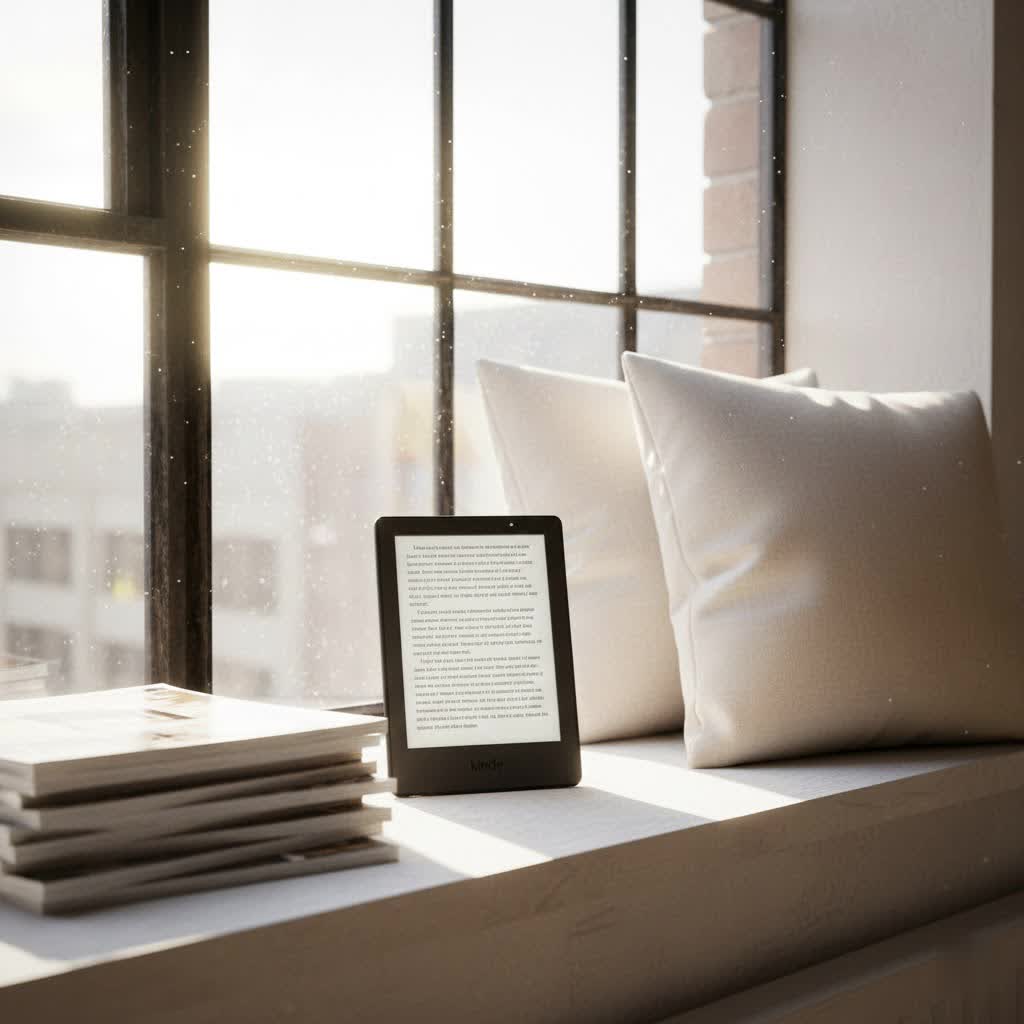
The Evolution of E-Reading: From Niche Gadget to Digital Staple
The concept of carrying an entire library in your pocket seemed like science fiction until the advent of E-Ink technology. This innovative display, designed to mimic the appearance of ordinary ink on paper, laid the groundwork for dedicated ereaders. Amazon’s introduction of the Kindle Ereader quickly popularized digital reading, transforming how millions consume books. Barnes & Noble soon followed with its Nook series, establishing a robust rivalry that has consistently driven innovation in the sector. Over the years, these devices have seen significant advancements, from simple monochrome screens to high-resolution, glare-free displays with integrated backlights and even note-taking capabilities, constantly enhancing the user experience.
Unpacking E-Ink Technology: The Heart of Your Ereader
At the core of every great ereader, including the Kindle Ereader and Nook, is E-Ink technology. Unlike backlit LCD or OLED screens found in tablets and smartphones, E-Ink uses tiny microcapsules containing charged white and black particles, which rearrange to form text and images. This unique mechanism means the display reflects ambient light, much like a physical book, virtually eliminating glare and significantly reducing eye strain during prolonged reading sessions. Many modern ereaders also feature adjustable warm light settings, allowing you to fine-tune the screen’s hue to reduce blue light exposure, making late-night reading more comfortable. The power efficiency of E-Ink is another major benefit, enabling devices to last for weeks on a single charge, a stark contrast to the daily charging demands of other gadgets.
Kindle vs. Nook: A Head-to-Head Ecosystem Battle
When choosing between a Kindle Ereader and a Nook, you’re not just picking a device; you’re entering a distinct digital ecosystem, each with its own strengths and user experience.
Kindle Ecosystem: Amazon’s Digital Dominion
|
Our Picks for the Best Kindle Ereader in 2026
As an Amazon Associate I earn from qualifying purchases.
|
||
| Num | Product | Action |
|---|---|---|
| 1 | Amazon Kindle Paperwhite 16GB (newest model) – 20% faster, with new 7" glare-free display and weeks of battery life – Black + 3 Months of Kindle Unlimited (with auto-renewal) |

|
| 2 | Amazon Kindle Colorsoft 16 GB (newest model) – With paper-like color display that brings stories to life – No Ads – Black |
|
| 3 | Amazon Kindle 16 GB (newest model) - Lightest and most compact Kindle, now with faster page turns, and higher contrast ratio, for an enhanced reading experience - Black |
|
| 4 | Amazon Kindle Paperwhite 16GB (newest model) – 20% faster, with new 7" glare-free display and weeks of battery life – Raspberry + 3 Months of Kindle Unlimited (with auto-renewal) |
|
| 5 | Amazon Kindle Paperwhite 16GB (newest model) – 20% faster, with new 7" glare-free display and weeks of battery life – Jade + 3 Months of Kindle Unlimited (with auto-renewal) |
|
| 6 | Amazon Kindle 16 GB (newest model) - Lightest and most compact Kindle, now with faster page turns, and higher contrast ratio, for an enhanced reading experience - Black + 3 Months of Kindle Unlimited (with auto-renewal) |
|
| 7 | Amazon Kindle Paperwhite Signature Edition 32GB (newest model) – 20% faster with auto-adjusting front light, wireless charging, and weeks of battery life – Metallic Jade |
|
| 8 | Amazon Kindle Paperwhite 16GB (newest model) – 20% faster, with new 7" glare-free display and weeks of battery life – Black |
|
| 9 | Amazon Kindle 16 GB (newest model) - Lightest and most compact Kindle, now with faster page turns, and higher contrast ratio, for an enhanced reading experience - Matcha + 3 Months of Kindle Unlimited (with auto-renewal) |
|
| 10 | Amazon Kindle 16 GB (newest model) - Lightest and most compact Kindle, now with faster page turns, and higher contrast ratio, for an enhanced reading experience - Matcha |
|
Amazon’s Kindle Ereader is a gateway to the company’s vast digital content empire. Kindle users benefit from a massive e-book store, featuring millions of titles, including bestsellers, self-published works through Kindle Direct Publishing, and exclusive content. The Kindle Unlimited subscription service offers access to a large library for a monthly fee. Integration with Audible allows seamless switching between reading and listening to audiobooks. Kindle devices also provide robust syncing across all your Amazon devices and apps, ensuring you can pick up where you left off, whether on your Kindle, phone, or tablet. While incredibly convenient, this ecosystem is largely proprietary, favoring Amazon’s own file formats (AZW3, KFX).
Nook Ecosystem: The Barnes & Noble Alternative
The Nook, from Barnes & Noble, presents a compelling alternative, focusing on a more classic, “book-like” reading experience. Nook ereaders connect to the Nook Store, which boasts a substantial selection of e-books and magazines, often curated with a focus on supporting independent authors and publishers. A significant advantage of Nook devices is their native support for the open EPUB file format, making sideloading books from various sources or transferring personal documents generally more straightforward. For readers who appreciate direct customer interaction, Nook benefits from Barnes & Noble’s physical bookstore presence, offering in-person support and personalized recommendations.
File Format, DRM, and Library Integration
One of the biggest distinctions lies in file format compatibility and Digital Rights Management (DRM). Kindle books are protected by Amazon’s proprietary DRM, meaning they are primarily readable on Kindle devices or apps. Nook books typically use EPUB format with Adobe DRM. This fundamental difference means you generally cannot natively read a Nook book on a Kindle Ereader, or vice versa, without complex and often legally ambiguous DRM removal and file conversion processes.
However, both platforms offer ways to access library books. Kindle provides a streamlined process for borrowing e-books from public libraries (via Libby/OverDrive in the US) directly to your device. Nook also supports library borrowing, though it often requires a more manual process involving downloading books to a computer and transferring them via Adobe Digital Editions.
A Deep Dive into Current Ereader Models
Both Amazon and Barnes & Noble offer a range of ereader models tailored to different needs and budgets.
Amazon Kindle Lineup: Innovation and Integration
- Kindle (Standard): The entry-level model provides a straightforward reading experience with a crisp E-Ink display and front light. It’s the most affordable option for those new to ereaders.
- Kindle Paperwhite: A popular mid-range choice, the Paperwhite boasts a higher resolution (300 ppi), waterproofing, and an adjustable warm light feature, making it versatile for reading in various environments.
- Kindle Oasis: Designed for premium comfort, the Oasis features an ergonomic design, physical page-turn buttons, and a premium metal body. While still available in some markets, its future availability in the US may vary.
- Kindle Scribe: The most advanced Kindle Ereader, the Scribe integrates a large 10.2-inch display with stylus support, transforming it into a digital notebook alongside being an excellent e-reader.
Barnes & Noble Nook Lineup: Focus on Comfort and Openness
- Nook GlowLight 4e: An accessible entry point to the Nook ecosystem, offering a comfortable reading experience with a front light.
- Nook GlowLight 4: This mid-range Nook features physical page-turn buttons, adjustable warm light, and a high-resolution display, catering to readers who prefer tactile controls.
- Nook GlowLight 4 Plus: The top-tier Nook, offering a larger 7.8-inch screen, waterproofing, and audiobook support via Bluetooth and a headphone jack, providing a versatile reading and listening device.
Emerging “Universal” E-readers: Android E-Ink Devices
For readers seeking ultimate flexibility, a third category has emerged: Android-based E-Ink devices from brands like Onyx Boox and Meebook. These ereaders run a customized Android operating system, allowing users to install both the Kindle and Nook reading apps (and others like Libby) directly from the Google Play Store. This effectively creates a single device capable of accessing content from both ecosystems without complex conversions. While they offer unparalleled versatility, they often come at a higher price point and may not offer the same streamlined, dedicated reading experience as purpose-built Kindle or Nook devices.
Detailed Comparison Table: Kindle vs. Nook vs. Android E-Ink
Understanding the core differences side-by-side can clarify your decision:
| Feature | Kindle (e.g., Paperwhite) | Nook (e.g., GlowLight 4 Plus) | Android E-Ink (e.g., Onyx Boox) |
|---|---|---|---|
| Screen Size | 6.8 – 7 inches (typical) | 6 – 7.8 inches | 6 – 10.3+ inches |
| Resolution | 300 ppi | 300 ppi (most models) | 300 ppi (common) |
| Waterproofing | Yes (Paperwhite, Oasis) | Yes (GlowLight 4 Plus) | Varies by model |
| Adjustable Warm Light | Yes | Yes | Yes |
| Physical Page-Turn Buttons | Oasis only | Yes (most models) | Varies by model |
| Note-taking | Scribe only (with stylus) | Limited | Yes (often with stylus) |
| Audio Support | Audible (Bluetooth) | Bluetooth, Headphone Jack | Bluetooth, Speakers |
| Primary File Types | AZW3, KFX (proprietary) | EPUB (open standard) | All (via apps/sideload) |
| Ecosystem | Amazon Store, Kindle Unlimited | B&N Nook Store | Google Play Store, various reading apps |
| Libby/OverDrive Access | Direct integration (US) | Sideloading via Adobe Digital Editions | Direct via Libby app (on Android E-Ink) |
| Price Range | Mid to High-end | Entry to Mid-range | Mid to Premium |
Choosing Your Ideal Ereader: A Practical Guide
Selecting the perfect ereader involves a personal assessment of your reading habits and priorities.
- Evaluate Your Reading Needs: Are you a casual reader or an avid bookworm? Do you primarily read fiction, or do you need features for academic texts and note-taking? Do you enjoy reading in the bath or by the pool?
- Consider Your Existing Library: If you already own many books from Amazon, a Kindle Ereader is a natural choice. If your collection is largely EPUBs or from Barnes & Noble, a Nook might be more suitable.
- Set a Budget: Kindle and Nook offer competitive entry-level models, while premium devices with advanced features will cost more. Remember to factor in potential costs for ad-free versions or subscription services.
- Prioritize Key Features: Decide which features are non-negotiable for you. Is waterproofing essential for poolside reading? Do you prefer physical page-turn buttons? Is note-taking a must-have for your studies?
- Ecosystem Preference: Do you value the deep integration and vast content library of Amazon, or do you prefer the more open nature and physical store presence of Barnes & Noble? If flexibility is paramount, an Android E-Ink device could be your answer.
Beyond the Big Two: Other E-readers to Consider
While Kindle and Nook dominate the discussion, other excellent ereaders are available, each with unique strengths. Kobo devices, for instance, are widely praised for their open ecosystem, robust EPUB support, and often seamless integration with public libraries globally. Brands like Onyx Boox and Meebook, as mentioned, offer highly customizable Android E-Ink tablets that provide the flexibility to run almost any reading app, making them ideal for power users who want to consolidate multiple digital libraries onto one device. These alternatives often feature innovative functionalities, including color E-Ink displays or advanced note-taking capabilities, catering to niche demands that the mainstream offerings might not cover.
Maximizing Your Ereader Experience: Tips and Maintenance
To ensure your Kindle Ereader or Nook serves you well for years, consider these tips:
- Charge Smartly: While ereaders boast long battery life, avoid letting the battery completely drain frequently. Occasional full charges and discharges can help calibrate it, but generally, charging when it’s around 20-30% is ideal.
- Screen Care: E-Ink screens are delicate. Use a soft, lint-free cloth, slightly dampened with water or an electronics cleaner, to gently wipe the screen. Avoid harsh chemicals or abrasive materials.
- Keep Software Updated: Regularly check for and install software updates. These often bring performance improvements, bug fixes, and new features that enhance your reading experience.
- Utilize Ecosystem Features: Explore features like Goodreads integration on Kindle, Nook Readouts, or subscription services. These can enrich your reading life and help you discover new titles.
- Invest in Protection: A good quality cover or case can protect your ereader from accidental drops, scratches, and spills, especially if you carry it frequently.
Troubleshooting Common Ereader Issues
Even the most reliable devices can encounter occasional hiccups.
- Device Freezing/Unresponsive: A common fix is a soft reset. Hold down the power button for 15-20 seconds until the device reboots.
- Battery Draining Quickly: Ensure Wi-Fi and Bluetooth are turned off when not needed. Dimming the front light and keeping your software updated can also help. Background syncing can consume power, so close unused apps or put the device to sleep when not actively reading.
- Connectivity Problems: If your ereader struggles with Wi-Fi, try restarting both your device and your router. Ensure the device’s software is up to date, as connectivity improvements are often included in updates.
- Screen Artifacts (Ghosting): E-Ink screens sometimes leave faint traces of previous pages, known as ghosting. Most ereaders have a “full refresh” setting (often every few pages) to clear this. If it becomes distracting, check your device settings or perform a hard reset.
Conclusion: Finding Your Perfect Reading Companion
Choosing between a Kindle Ereader, a Nook, or an alternative Android E-Ink device ultimately comes down to your personal preferences and reading ecosystem. The Kindle Ereader, with Amazon’s vast content library and integrated services, offers a seamless and widely adopted digital reading experience. The Nook, on the other hand, appeals to those who appreciate open file formats, physical page-turn buttons, and the support of Barnes & Noble’s retail presence. For the truly agnostic reader, Android E-Ink devices provide the flexibility to blend both worlds. Each device is designed to provide an excellent reading experience, ensuring your eyes are comfortable and your battery lasts for weeks. By carefully considering your needs, you can find the perfect device to unlock endless hours of literary enjoyment. Which digital reading adventure will you embark on next?
Frequently Asked Questions
Can I read Nook books on a Kindle Ereader (or vice versa)?
No, not natively. Kindle ereaders use proprietary Amazon formats and DRM, while Nook devices primarily use EPUB with Adobe DRM. To read books from one platform on the other, you would typically need to remove DRM and convert the files, a complex process that may have legal implications. However, Android E-Ink devices can run both Kindle and Nook apps, allowing access to both libraries on one device.
What is the main advantage of a Kindle Ereader over a Nook?
The primary advantage of a Kindle Ereader lies in its deep integration with Amazon’s vast ecosystem, offering an unparalleled selection of books, the Kindle Unlimited subscription service, and seamless integration with Audible audiobooks. Its user interface is often considered highly intuitive, and direct library integration (in the US) simplifies borrowing e-books.
Are E-Ink devices better for your eyes than tablets?
Yes, E-Ink devices are generally considered better for your eyes than traditional tablets or smartphones. Their screens reflect ambient light, mimicking paper and reducing eye strain and glare. They also lack the blue light emission that can disrupt sleep patterns, making them ideal for prolonged reading sessions.
Do all ereaders support library books (Libby/OverDrive)?
Most ereaders support library books, but the method varies. Kindle Ereaders in the US offer direct integration with Libby/OverDrive, making borrowing very easy. Nook devices typically require manually transferring books from a computer using Adobe Digital Editions. Open Android E-Ink ereaders can often install the Libby app directly from the Google Play Store.
Is the E-reader market still growing?
Despite the rise of smartphones and tablets, the dedicated ereader market is projected to continue growing, with forecasts showing an increase from USD 8.74 billion in 2023 to USD 15.47 billion by 2032. This growth is driven by continuous advancements in E-Ink technology, such as note-taking capabilities and color displays, and the increasing global adoption of digital reading for convenience and reduced eye strain.
