Welcome to the captivating world of digital reading, where the Amazon Kindle Ereader stands as a beacon for avid book lovers. With over a decade of personal experience immersing myself in the evolution of these remarkable devices, from their inception to the latest innovations, I’ve witnessed firsthand how Kindle has reshaped our reading habits. This guide, crafted from extensive research and hands-on use, will navigate you through the diverse landscape of Kindle Ereaders, ensuring you find the perfect companion for your literary adventures. Whether you’re a casual reader or a dedicated bibliophile, understanding the unique features and capabilities of each model is key to unlocking an unparalleled reading experience.
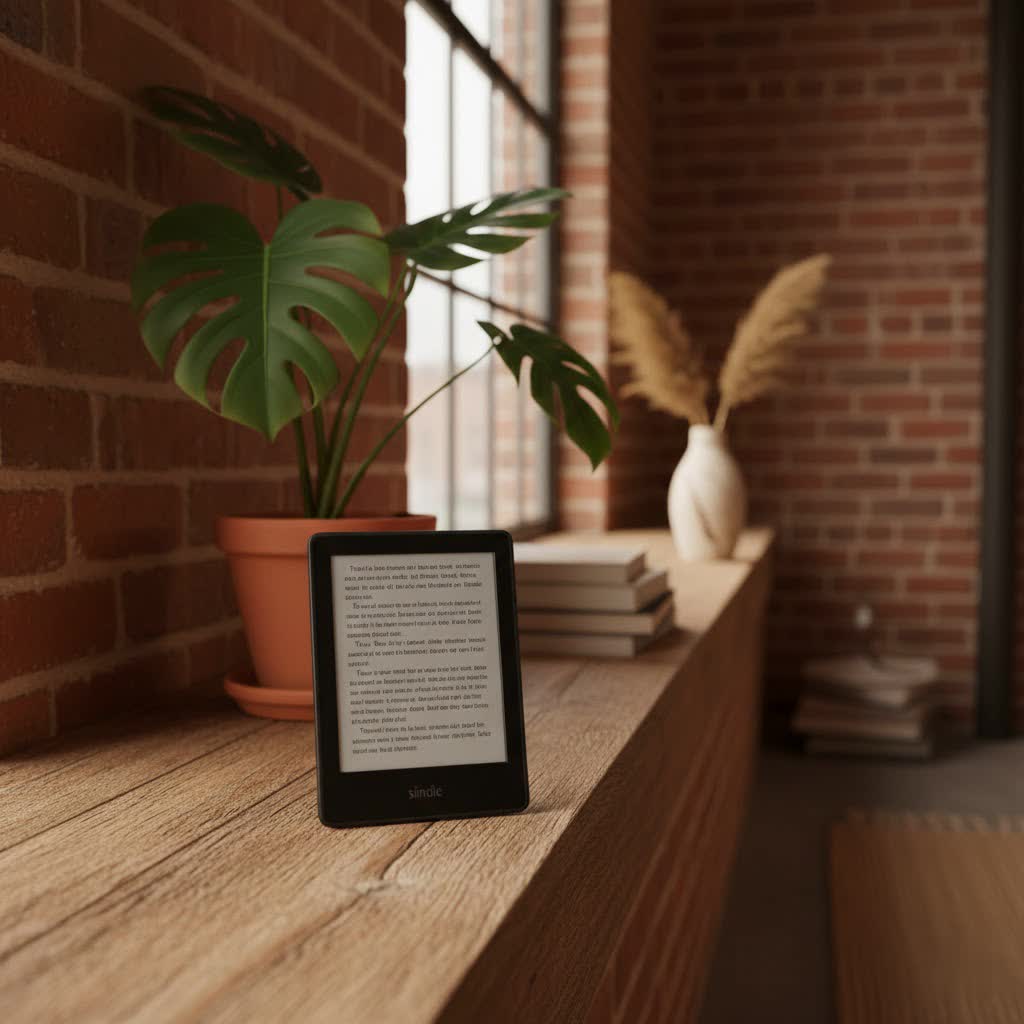
The journey into digital reading often begins with a fundamental question: which ereader is best suited for enjoying Kindle books? While various devices can access digital texts, the Amazon Kindle Ereader line is purpose-built to deliver the quintessential Kindle experience.
The Evolution of the Kindle Ereader
The story of the Kindle Ereader is one of continuous innovation, beginning with its groundbreaking launch in 2007. Amazon introduced the first Kindle, a revolutionary device featuring a 6-inch E-Ink display, a physical keyboard, and a free wireless connection via Whispernet for instant book downloads. This initial model, though rudimentary by today’s standards, laid the foundation for a new era of reading.
Over the years, Kindle Ereaders have undergone significant transformations. The Kindle 2 (2009) brought a sleeker design and more storage. The Kindle DX (2009) offered a larger 9.7-inch screen, catering to readers of textbooks and documents. The Kindle Keyboard (2010) refined the physical keyboard experience while introducing a more affordable Wi-Fi-only option.
Major technological leaps followed: the Kindle Touch (2011) introduced a touchscreen interface, making navigation more intuitive. The Kindle Paperwhite (2012) revolutionized reading in varied lighting conditions with its integrated front light, a feature that has become standard across the lineup. Subsequent generations brought higher resolution 300 ppi E-Ink displays for sharper text, waterproof designs for worry-free reading by the pool or in the bath, and adjustable warm light for comfortable nighttime reading. Recent advancements in 2024 and 2025 include the introduction of color E-Ink technology with the Kindle Colorsoft, and enhanced note-taking capabilities with the Kindle Scribe, solidifying Kindle’s impact on the digital book market.
The Unique Technology Behind Kindle Ereaders
At the heart of every Kindle Ereader lies its distinctive E-Ink screen technology, designed to mimic the appearance of real paper.
E-Ink Screen: Advantages and Disadvantages
|
Our Picks for the Best Kindle Ereader in 2026
As an Amazon Associate I earn from qualifying purchases.
|
||
| Num | Product | Action |
|---|---|---|
| 1 | Amazon Kindle 16 GB (newest model) - Lightest and most compact Kindle, now with faster page turns, and higher contrast ratio, for an enhanced reading experience - Black + 3 Months of Kindle Unlimited (with auto-renewal) |

|
| 2 | Amazon Kindle Paperwhite Signature Edition 32GB (newest model) – 20% faster with auto-adjusting front light, wireless charging, and weeks of battery life – Metallic Jade |
|
| 3 | Amazon Kindle 16 GB (newest model) - Lightest and most compact Kindle, now with faster page turns, and higher contrast ratio, for an enhanced reading experience - Black |
|
| 4 | Amazon Kindle 16 GB (newest model) - Lightest and most compact Kindle, now with faster page turns, and higher contrast ratio, for an enhanced reading experience - Matcha + 3 Months of Kindle Unlimited (with auto-renewal) |
|
| 5 | Amazon Kindle Paperwhite 16GB (newest model) – 20% faster, with new 7" glare-free display and weeks of battery life – Raspberry + 3 Months of Kindle Unlimited (with auto-renewal) |
|
| 6 | Amazon Kindle Paperwhite 16GB (newest model) – 20% faster, with new 7" glare-free display and weeks of battery life – Black + 3 Months of Kindle Unlimited (with auto-renewal) |
|
| 7 | Amazon Kindle Paperwhite 16GB (newest model) – 20% faster, with new 7" glare-free display and weeks of battery life – Black |
|
| 8 | Amazon Kindle Colorsoft 16 GB (newest model) – With paper-like color display that brings stories to life – No Ads – Black |
|
| 9 | Amazon Kindle 16 GB (newest model) - Lightest and most compact Kindle, now with faster page turns, and higher contrast ratio, for an enhanced reading experience - Matcha |
|
| 10 | Amazon Kindle Paperwhite 16GB (newest model) – 20% faster, with new 7" glare-free display and weeks of battery life – Jade + 3 Months of Kindle Unlimited (with auto-renewal) |
|
E-Ink displays offer several distinct advantages that enhance the reading experience. Their paper-like appearance reduces eye strain, making long reading sessions more comfortable than on traditional LCD or OLED screens. They are remarkably glare-free, even in direct sunlight, allowing for outdoor reading without reflections. Furthermore, E-Ink consumes very little power, primarily when refreshing the page, which contributes to the Kindle’s exceptional battery life, often lasting weeks on a single charge.
However, E-Ink technology does have its limitations. Most traditional Kindle screens are grayscale, meaning they cannot display colors, which can be a drawback for graphic novels, magazines, or illustrated books (though the new Kindle Colorsoft addresses this). The refresh rate of E-Ink is slower than other display technologies, leading to a slight flicker when turning pages and making it unsuitable for video or fast-paced animations.
Special Features for an Enhanced Reading Experience
Kindle Ereaders are packed with features designed to enrich your reading journey:
- Adjustable Front Light and Warm Light: Most modern Kindles offer a built-in front light, allowing you to read in low-light conditions. Many models also include an adjustable warm light, which shifts the screen tone from white to amber, reducing blue light exposure for more comfortable evening reading.
- Dark Mode: This feature inverts the text and background colors, displaying white text on a black background, which some readers find more comfortable, especially in very dark environments.
- Waterproofing: High-end models like the Kindle Paperwhite and Kindle Oasis boast an IPX8 waterproof rating, protecting them from accidental spills or immersion in water.
- Integrated Dictionary and Wikipedia: Easily look up word definitions or get more information on topics directly from your book without leaving the page.
- Notes, Highlights, and Whispersync: You can highlight passages, add notes, and your progress, bookmarks, and annotations are automatically synced across all your Kindle devices and apps via Whispersync.
- Audible Integration: Many Kindles connect via Bluetooth to wireless headphones or speakers, allowing you to switch seamlessly between reading and listening to Audible audiobooks.
- Send to Kindle: This convenient feature allows you to send documents, web articles, and even EPUB files directly to your Kindle, which converts them into a compatible format.
- Libby/OverDrive Support: Connect your local library card to borrow e-books directly to your Kindle, expanding your reading options.
Comparing Current Kindle Ereader Models
Amazon offers a range of Kindle Ereaders, each designed to meet different reader preferences and budgets.
Kindle (Basic)
The standard Kindle is the entry-level model, perfect for those seeking a straightforward, affordable reading device. The latest basic Kindle (11th Generation, 2022, or newer 2024 releases) features a 6-inch, 300 ppi glare-free display, ensuring crisp text. It includes an adjustable front light and dark mode for comfortable reading day or night. While it lacks waterproofing and warm light, its compact size and competitive price make it an excellent choice for casual readers or those new to ereaders.
Kindle Paperwhite
The Kindle Paperwhite is arguably the most popular model, striking an ideal balance between features and cost. The 2024 (12th Generation) Paperwhite typically offers a larger 7-inch, 300 ppi flush-front display, making it feel more premium. It is waterproof (IPX8), features an adjustable warm light, and boasts faster page turns. The Paperwhite Signature Edition adds even more storage (32GB), wireless charging, and an auto-adjusting front light for a truly hands-off reading experience. It’s ideal for avid readers who desire enhanced features without the premium price tag of the Oasis or Scribe.
Kindle Oasis
For those who prioritize ergonomic design and premium features, the Kindle Oasis (3rd Generation, 2019) has traditionally been the top-tier choice. It stands out with its asymmetrical design, which shifts the device’s weight to one side, making it comfortable to hold with one hand. It features physical page-turn buttons, a 7-inch, 300 ppi display with an adjustable warm light, and an auto-rotating screen. The Oasis is also waterproof and crafted with premium materials. While not as recently updated as the Paperwhite or Scribe, its unique design still appeals to many.
Kindle Scribe
The Kindle Scribe, first introduced in 2022 and updated in 2024, is the most versatile Kindle, blurring the lines between ereader and digital notebook. It features a large 10.2-inch, 300 ppi display that allows for both reading and writing. The included stylus enables users to take notes in books, annotate PDFs, journal, and sketch. With features like AI handwriting recognition and generous storage options, the Scribe is ideal for students, professionals, or anyone who frequently interacts with documents or enjoys jotting down thoughts while reading. The 2025 Kindle Scribe Colorsoft is expected to further enhance this experience with a color E-Ink screen.
Kindle Colorsoft
The Kindle Colorsoft (2024/2025) marks a significant leap, introducing color E-Ink technology to the Kindle lineup. This model is perfect for readers who enjoy graphic novels, comics, magazines, or illustrated books where color enhances the visual experience. While specific details might vary by release, it typically retains core Kindle features like a comfortable front light and long battery life, but with the added vibrancy of color display. The Signature Edition offers similar upgrades to its Paperwhite counterpart, such as wireless charging and increased storage.
Detailed Comparison Table
| Feature | Kindle (Basic 2024) | Kindle Paperwhite (2024) | Kindle Oasis (3rd Gen) | Kindle Scribe (2024) | Kindle Colorsoft (2024) |
|---|---|---|---|---|---|
| Screen | 6-inch, 300 ppi | 7-inch, 300 ppi | 7-inch, 300 ppi | 10.2-inch, 300 ppi | Color E Ink, ~7-inch |
| Waterproof | No | Yes (IPX8) | Yes (IPX8) | No | Yes |
| Front Light | 4 LEDs | 17 LEDs with warm light | 25 LEDs with warm light | 35 LEDs with warm light | Adjustable warm light |
| Storage | 16GB | 8GB/16GB/32GB (Signature) | 8GB/32GB | 16GB/32GB/64GB | 16GB/32GB |
| Stylus Support | No | No | No | Yes (included) | No |
| Price Range | Budget | Mid-range | Premium | High-end | High-end (for color) |
How to Choose the Right Kindle Ereader for You
Selecting the perfect Kindle involves a thoughtful assessment of your reading habits and priorities.
First, identify your primary needs. Are you a casual reader who just wants a simple, portable device for novels? The basic Kindle might be sufficient. Do you read by the pool or in the bath and need waterproofing? The Paperwhite or Oasis would be better. Do you enjoy taking extensive notes, marking up documents, or sketching? The Kindle Scribe is designed for you. For those who read many graphic novels, comics, or magazines, the new Kindle Colorsoft offers a vibrant experience.
Next, consider your budget. Kindle models range from highly affordable to premium-priced. Determine how much you’re willing to invest in a device that fits your desired features.
Finally, evaluate essential features. Do you require an adjustable warm light for comfortable night reading? How important is physical page-turn buttons or an ergonomic design? What storage capacity do you need, especially if you plan to download many audiobooks or large files? Reading recent reviews and comparing prices from various retailers can provide valuable insights and help you make an informed decision.
Where to Purchase Your Kindle Ereader
Kindle Ereaders are primarily available through Amazon’s official website, which often offers the latest models, bundles, and competitive pricing. You can also find Kindle devices at major electronics retailers. When purchasing, always check the retailer’s warranty policies and return options to ensure peace of mind with your investment.
Tips for Maximizing Your Kindle Ereader Experience
To get the most out of your Kindle Ereader and ensure its longevity, consider these practical tips:
- Optimal Battery Care: For the best battery life, avoid fully discharging your Kindle frequently. Charge it when the battery level is low, but not critically so. Avoid leaving it in extreme temperatures.
- Screen Maintenance: Clean your E-Ink screen gently with a soft, lint-free cloth, avoiding harsh chemicals that could damage the display.
- Regular Software Updates: Keep your Kindle’s software up to date. Amazon frequently releases updates that improve performance, add new features, and enhance security.
- Protective Accessories: Invest in a good quality cover or case. This not only protects your device from scratches and drops but can also add functionality, such as automatically waking/sleeping the device.
Common Issues and Simple Troubleshooting
While Kindles are generally reliable, you might occasionally encounter minor issues:
- Kindle Freezing: If your Kindle becomes unresponsive, perform a hard reset by holding the power button for 40 seconds (or until it restarts).
- Screen Glitches: Sometimes, an E-Ink screen might display “ghosting” or unusual patterns. A full page refresh (often configurable in settings) or a restart can usually resolve this.
- Rapid Battery Drain: Check for unusual activity, such as frequent Wi-Fi usage or indexing of new books. A software update or restarting the device can often help.
- Wi-Fi Connectivity Problems: Ensure your Wi-Fi password is correct and your router is working properly. Try restarting both your Kindle and your router.
Detailed Reviews of the Latest Kindle Ereader Models
The latest generations of Kindle Ereaders continue to push the boundaries of digital reading.
The Kindle Paperwhite (12th Generation, 2024) remains the best all-around ereader for most people. Its 7-inch, 300 ppi display, combined with waterproofing and adjustable warm light, offers a premium reading experience at a mid-range price. The added speed and improved contrast make it a joy for consuming various literary genres.
For those whose reading extends to productivity, the Kindle Scribe (2024) is a game-changer. Its expansive 10.2-inch display and precise stylus transform it into a powerful tool for academic pursuits, creative brainstorming, and meticulous note-taking within your digital library. The advanced handwriting recognition adds significant value, making it a compelling alternative to traditional notebooks.
The emergence of the Kindle Colorsoft (2024/2025) heralds a new era for visual content. This device, with its vibrant color E-Ink screen, breathes new life into graphic novels, children’s books, and magazines, offering an immersive experience that traditional grayscale ereaders simply cannot match. It’s perfect for readers who cherish visual richness in their digital content.
Kindle Ereader Versus Other Digital Reading Devices
While Kindles dominate the landscape, it’s worth considering alternatives:
- Kobo Ereaders: Brands like Kobo offer compelling alternatives, with models such as the Kobo Clara Colour and Kobo Libra Colour providing color E-Ink screens and excellent public library integration (OverDrive support). Kobo often uses the standard EPUB format, which provides more flexibility outside a single ecosystem.
- Onyx Boox Devices: These Android-based ereaders, like the Onyx Boox Go 10.3, provide access to the Google Play Store. This allows users to install various reading apps, including the Kindle app, on a single E-Ink device, offering immense flexibility for different book ecosystems and advanced PDF capabilities.
- Tablets (e.g., Apple iPad, Amazon Fire Tablet): While tablets can run the Kindle app, they are fundamentally different from E-Ink ereaders. Their backlit LCD/OLED screens can cause eye strain during prolonged reading, and their battery life is significantly shorter. Tablets are versatile for many tasks but are not specialized for reading in the same way an E-Ink ereader is.
The key distinction lies in Amazon’s proprietary ecosystem. Kindle books are primarily in AZW or AZW3 formats, encrypted with DRM, meaning they are designed to be read on Kindle devices or via the official Kindle app. While it is technically possible to remove DRM and convert Kindle books to other formats (like EPUB) for use on non-Kindle ereaders using third-party software like Calibre, this process can be complex and may have legal implications depending on your region. Amazon’s “Send to Kindle” service now simplifies sending EPUB files to your Kindle by converting them automatically.
Conclusion: Which Kindle Ereader Should You Buy?
Choosing the ideal Kindle Ereader ultimately depends on your individual priorities and reading habits. If you’re seeking an affordable, distraction-free device for basic reading, the Kindle (Basic) is an excellent starting point. For most avid readers who desire a blend of modern features, portability, and value, the Kindle Paperwhite (especially the Signature Edition) stands out as the best overall choice, offering waterproofing, adjustable warm light, and a crisp display.
If you value an ergonomic design with physical page-turn buttons and a premium feel, the Kindle Oasis remains a strong contender, despite being an older model. For those who want to integrate note-taking, journaling, or document annotation into their digital reading, the Kindle Scribe offers an unparalleled experience. And for the visually oriented reader, the Kindle Colorsoft represents the exciting future of vibrant E-Ink displays.
No matter which Kindle Ereader you choose, you’re investing in a device designed to enhance your love for books, providing comfort, convenience, and access to a vast digital library. Which Kindle Ereader features resonate most with your reading lifestyle?
Frequently Asked Questions
Can I read Kindle books on non-Kindle ereaders?
While Kindle books are primarily designed for Amazon devices and apps, you can use the Kindle app on Android-based ereaders (like Onyx Boox) that support the Google Play Store. For other ereaders (like Kobo), reading Kindle books typically involves removing DRM and converting the files, which can be technically challenging and may have legal implications. Amazon’s “Send to Kindle” service allows you to send EPUB files, which are then converted for reading on your Kindle.
What is E-Ink, and why is it important for ereaders?
E-Ink is a display technology designed to mimic the look of ordinary ink on paper. It’s crucial for ereaders because it’s glare-free, highly readable even in direct sunlight, and consumes very little power, leading to exceptionally long battery life. This technology significantly reduces eye strain compared to traditional backlit screens found on tablets and smartphones.
Are the Kindle Paperwhite and Kindle Paperwhite Signature Edition different?
Yes, they are variations of the same core device. The Kindle Paperwhite Signature Edition typically offers increased storage (32GB vs. 8GB/16GB), wireless charging capabilities, and an auto-adjusting front light that automatically adapts to ambient lighting conditions, whereas the standard Paperwhite requires manual adjustment.
Is the Kindle Scribe suitable for extensive note-taking?
Absolutely. The Kindle Scribe is specifically designed with note-taking in mind. Its large 10.2-inch E-Ink display and included stylus provide a natural writing experience, allowing users to annotate books, create digital notebooks, and even convert handwriting to text. It’s an excellent choice for students, professionals, or anyone who values integrated reading and writing.
Do Kindles have color screens?
Traditionally, Kindles have featured grayscale E-Ink screens. However, with the introduction of the Kindle Colorsoft (released in 2024/2025), Amazon now offers models with color E-Ink displays, making them suitable for graphic novels, comics, and other content where color is essential.
